
Sky's Stream Puck box is a compact streaming device that delivers Sky TV over broadband, with no satellite dish or aerial required.
It sits alongside Sky Glass on the same platform, but as a standalone box to connect any existing TV set.
For most households, it's the more practical option: lower setup cost, works with existing TVs, and offers flexible contracts that Sky Q didn't.
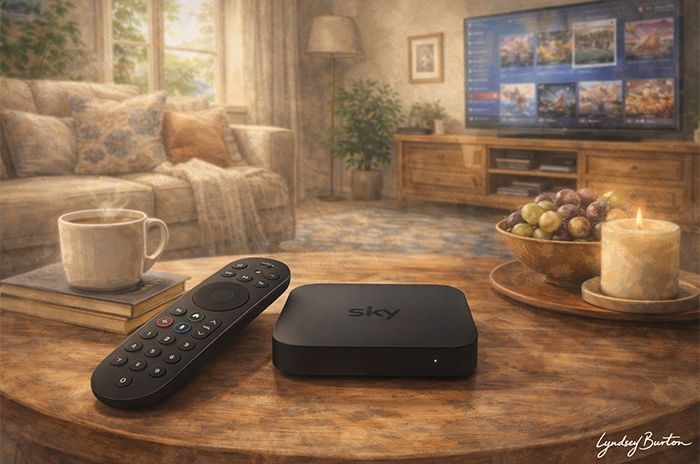
Quick answer: What is Sky Stream Puck?
Sky Stream Puck is a small streaming device from Sky, roughly the size of a coaster, that plugs into any TV via HDMI and delivers Sky TV over a broadband connection - with no satellite dish, aerial, or engineer visit required.
It supports HD and 4K Ultra HD, Dolby Atmos sound, and WiFi 6, and gives access to live TV alongside a wide range of apps including Netflix, Disney+, and Prime Video. Sky channels like Sky Atlantic, Sky Entertainment, Sky Sports and Sky Cinema are available depending on the TV plan you choose.
It's available from £15 per month with a Sky TV plan, with a choice of 24-month or flexible 31-day contracts. The trade-off is that it relies entirely on broadband, and doesn't offer permanent recording like older Sky boxes.
Stream Puck box at a glance
| Type | Streaming TV box (no dish required) |
|---|---|
| Platform | Sky Entertainment OS |
| Resolution | 4K UHD (HDR, Dolby Atmos) |
| Connectivity | WiFi 6 / Ethernet LAN 100Mb |
| Recording | No - Cloud based Playlist |
| App support | Netflix, Prime Video, HBO Max, Disney+, Paramount+, Apple TV+, Discovery+, Fiit, Hayu, Spotify, Amazon Music, YouTube, BBC iPlayer, ITVX, Channel 4, My5 |
| Setup | Plug-and-play (no engineer required) |
| Multiroom | Yes (up to 3 extra pucks) |
| Pros | Cons |
|---|---|
| No satellite dish needed, with quick self-install | Playlist recordings are time-limited by source app availability |
| Live TV without an aerial | Ultra HD and Dolby Atmos cost extra on top of standard plans |
| Wide range of on-demand apps supported, including Netflix, Disney+, HBO Max, and Prime Video | Does not work without an active Sky subscription |
| HD and 4K Ultra HD supported | |
| WiFi 6 built-in, or 100Mb LAN connection available |
What plans can you get Sky Stream Puck with?
| Package | Monthly price | TV & apps | Contract term | |
|---|---|---|---|---|
 |
Sky Essential TV | £15 | Discovery+ Netflix Sky Atlantic |
24 months Free setup |
| Price may change during the minimum term | ||||
|
Sky Ultimate TV | £24 | Discovery+ Disney+ Hayu HBO Max Netflix Sky Atlantic Sky Entertainment |
24 months Free setup |
Offer: Sky Ultimate TV £11/mth off Price may change during the minimum term | ||||
Who is Sky Stream Puck best suited for?
Sky Stream Puck suits anyone who wants access to Sky's premium channels without installing a satellite dish or buying a Sky Glass TV.
It's a particularly good fit for renters, flat dwellers, or anyone in a property where a dish isn't practical. Setup is self-install and takes around 10 minutes with just a broadband connection and a TV with HDMI.
It's also the more budget-friendly way into Sky TV. While Sky Glass requires either a higher upfront cost or a long repayment plan, the Puck is typically free to new customers - so the main cost is the monthly TV plan.
Sky Stream is available with two main TV plans: Essential TV, which includes Sky Atlantic, Netflix and Discovery+, and Ultimate TV, which adds Sky Entertainment channels along with services like Disney+ and HBO Max.
Sky Stream Puck is best for people who:
- Want access to Sky Atlantic, with the option to upgrade to full Sky Entertainment channels
- Want Sky TV and streaming apps like Netflix and Disney+ in one interface
- Have a broadband connection of at least 25Mbps
- Want the option of flexible TV packs, including 31-day rolling terms
Most standard fibre connections comfortably meet Sky's 25Mbps minimum requirement.
The Sky Stream Puck box
Sky Stream Puck is a compact streaming device that connects to your TV via HDMI and delivers Sky TV entirely over a broadband connection. Unlike traditional set-top boxes, there's no built-in tuner or hard drive - everything is streamed on demand, with content handled in the cloud rather than stored locally.
Physically, the Puck is small and unobtrusive, measuring just over 10cm square, and is designed to sit discreetly alongside a TV. Setup is simple: plug in power, connect via HDMI, and link to your WiFi or Ethernet connection. There's no engineer visit, and in most cases the whole process takes less than 10 minutes.
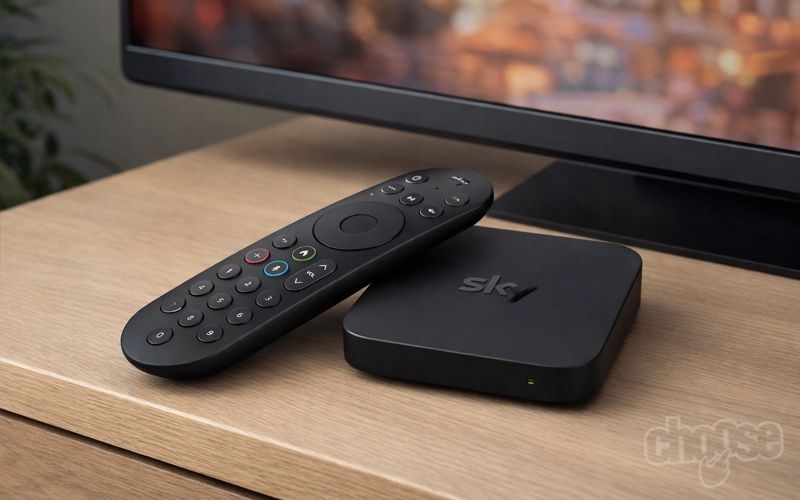
Sky Stream Puck Box. Credit: Choose.co.uk.
Connectivity is one of the more important aspects of the Puck, as performance depends entirely on your network. The device supports dual-band WiFi, including WiFi 6 (802.11ax), which is useful for households using newer routers such as Sky's own broadband hubs. There's also a 100Mb Ethernet port for a wired connection, which is generally more stable for consistent streaming - particularly in busier households or where signal strength is weaker.
Sky recommends a minimum broadband speed of 25Mbps, but in practice a faster and more stable connection will make a noticeable difference, especially when streaming in Ultra HD. Because the Puck operates as a thin client, there's no local buffering or fallback - if your connection drops or slows down, playback quality will adjust or pause accordingly.
In terms of picture quality, the Puck supports up to 4K Ultra HD resolution (3840 x 2160 at 50fps), along with HDR (HLG format) and Dolby Atmos sound. On a compatible TV, picture quality is generally sharp and detailed, and in many cases compares well with or improves on older Sky Q setups - particularly as HD is the default output rather than standard definition.
However, as with most streaming devices, picture quality isn't determined by the box alone. It depends on a combination of your TV, your broadband connection, and the source content. Ultra HD and Dolby Atmos are not enabled by default and require an additional add-on, and some third-party apps may vary in how consistently they deliver HDR or higher bitrates.
Because everything is delivered over the internet, there are also some behavioural differences compared to traditional broadcast TV. Live channels can run slightly behind real-time (often by 20-30 seconds), and switching between channels or apps can introduce a small delay compared to instantaneous channel changes on satellite or aerial-based systems.
That said, the trade-off is a much more unified viewing experience. The Puck is designed to behave more like a smart TV platform than a traditional box, integrating live channels, on-demand content, and third-party apps into a single interface. In our hands-on review of Sky Stream, we found the interface responsive and easy to navigate, with content from different services brought together into one place.
Overall, the Sky Stream Puck is less about raw hardware power and more about delivery - it's a lightweight, network-dependent device designed to stream everything in real time. When paired with a good broadband connection and a capable TV, it performs well, but its reliance on streaming means it doesn't offer the same consistency or independence as older broadcast-based systems.
The specifications of the Sky Stream Puck are:
| Sky Puck box | |
|---|---|
| Size | 10.8 x 10.8 x 1.8 |
| Resolution | 3840 x 2160 at 50 frames per second |
| Sound | Dolby Atmos |
| WiFi | 802.11ax (WiFi 6) |
| Ethernet LAN | 100Mb |
| HDMI | 2.1 |
Apps and on-demand support
Sky Stream Puck delivers both live TV and on-demand content over a broadband connection, combining Freeview channels with a wide range of streaming apps in a single interface.
This means the Puck behaves more like a streaming platform than a traditional TV service, with content organised by programme rather than channel.
Live TV is delivered via IP rather than aerial or satellite, giving access to the main UK free-to-air channels alongside Sky's own channels, depending on the TV plan you choose. Unlike traditional TV platforms, there's no separate input or app switching - live channels and on-demand services are integrated into the same guide and homepage.
Sky Stream supports a broad range of apps, including:
| Netflix | Prime Video | Disney+ | Paramount+ | Discovery+ |
| HBO Max | Apple TV+ | Amazon Music | Spotify | YouTube |
| RadioPlayer | BBC iPlayer | ITVX | C4 | My5 |
| STV Player | BBC Sounds | Crunchyroll | Fiit | Global Player |
| GolfPass | Hayu | DAZN | Sky Kids Games | Sky Sports+ |
| U | Xumo Play | Play.Works | MVmnt |
Many of these apps require their own subscriptions, although some are bundled depending on your Sky TV plan. For example, Netflix and Discovery+ are included as standard, while services like Disney+ or Paramount+ may be included with higher-tier plans or add-ons.
One of the key strengths of Sky Stream is how content is brought together. Programmes from live TV, Sky channels, and third-party apps are surfaced in the same interface, with features like Playlist and Continue Watching linking content across services rather than keeping them separate.
Channel availability and the full range of Sky content depend on the TV plan you choose. For a breakdown of what's included, see our guides to Sky Essential TV and Sky Ultimate TV.
Sky Entertainment OS features
Sky Stream runs on Sky's Entertainment OS, which is designed around streaming rather than traditional broadcast TV. Instead of separating live channels and apps, everything is brought together into a single interface, with content organised by programme rather than source.
The home screen is built around personalised rails such as Continue Watching, recommendations, and live TV, allowing users to move between channels, on-demand content, and apps without switching inputs or menus.
Unified TV guide and content discovery
One of the key differences with Sky Stream is how content is surfaced. Live TV, catch-up, and streaming services are integrated into the same guide and search results, rather than existing as separate apps.
This means a programme can be accessed from wherever it's available - live, on-demand, or via a third-party app - without the user needing to know where it's hosted.
Playlist (cloud-based viewing)
Playlist replaces traditional recording. Instead of storing programmes locally, Sky Stream saves content in the cloud or links to the relevant on-demand version, depending on availability.
Users can add content from live TV, the guide, or apps, building a single library of shows across different services. In some cases, Sky creates a cloud recording, while in others it links directly to catch-up content from the original provider.
The limitation is that Playlist doesn't guarantee permanent access - if a programme is removed from the source app or service, it will also disappear from your Playlist.
Personalisation and profiles
Sky Entertainment OS supports personalised viewing through individual profiles and playlists, allowing different users in a household to maintain their own watchlists and recommendations.
Content suggestions adapt over time based on viewing habits, helping surface relevant shows across both live TV and apps.
Voice control and search
The system includes voice control via the remote, allowing users to search for content or jump straight into programmes. Commands such as "Play [show name]" can launch content directly or resume from where it was last watched.
Search results are aggregated across Sky channels and apps, reducing the need to manually browse individual services.
Streaming-first behaviour
Because the platform is fully cloud-based, features like Restart TV and start-from-beginning are built in, allowing users to jump into live programmes even after they've started .
This also means the experience is more flexible than traditional TV, but less predictable - availability, playback, and even Playlist behaviour can depend on app rights and streaming availability rather than a fixed broadcast schedule.
How to get Sky Stream Puck
Sky Stream Puck is included with a Sky TV plan, with two main options to choose from:
- Sky Essential TV - includes 100+ live channels, Sky Atlantic, Netflix and Discovery+, with the option to add extra packs and apps
- Sky Ultimate TV - includes everything in Essential, plus a wider range of premium Sky channels such as Sky Entertainment, National Geographic and Comedy Central, along with bundled apps including Disney+, HBO Max and Hayu
Both plans are available on either a 24-month contract, which offers the lowest monthly price, or a flexible 31-day rolling term, which costs slightly more but can be cancelled at any time.
Even on a 24-month plan, many add-ons such as Sky Sports or Sky Cinema can still be taken on 31-day terms, allowing some flexibility within a longer contract.
| Package | Monthly price | TV & apps | Contract term | |
|---|---|---|---|---|
|
Sky Essential TV | £15 | Discovery+ Netflix Sky Atlantic |
24 months Free setup |
| Price may change during the minimum term | ||||
|
Sky Essential TV: 31-days | £18 | Discovery+ Netflix Sky Atlantic |
1 month £20 setup |
Offer: Flexible 31-day contract Price may change during the minimum term | ||||
|
Sky Ultimate TV | £24 | Discovery+ Disney+ Hayu HBO Max Netflix Sky Atlantic Sky Entertainment |
24 months Free setup |
Offer: Sky Ultimate TV £11/mth off Price may change during the minimum term | ||||
|
Sky Ultimate TV: 31-days | £30 | Discovery+ Disney+ Hayu HBO Max Netflix Sky Atlantic Sky Entertainment |
1 month £20 setup |
Offer: Flexible 31-day contract Price may change during the minimum term | ||||
If you choose a 24-month contract, early exit fees will apply if you cancel before the end of the term. The 31-day option avoids this, but comes at a higher monthly cost and usually includes a setup fee.
Sky Stream TV and broadband
Sky Stream can also be bundled with Sky broadband, often at a discounted rate compared to taking TV and broadband separately.
Sky offers a range of TV and broadband bundles, combining Stream with its Full Fibre packages. The exact savings vary depending on current offers, but bundling typically reduces the overall monthly cost.
Here is the latest pricing for Sky Stream TV and broadband:
| Package | Monthly price | TV & apps | Average speed | Contract term | |
|---|---|---|---|---|---|
|
Sky Essential TV + Full Fibre Gigafast | £35 | Discovery+ Netflix Sky Atlantic |
900Mb 90Mb upload |
24 months Free setup |
| Price may change during the minimum term | |||||
|
Sky Ultimate TV + Full Fibre Gigafast | £41 | Discovery+ Disney+ Hayu HBO Max Netflix Sky Atlantic Sky Entertainment |
900Mb 90Mb upload |
24 months Free setup |
Offer: Sky Ultimate TV £14/mth off + Cheaper broadband with Sky TV Price may change during the minimum term | |||||
While customers can choose from a range of broadband speeds, including Full Fibre 75, 150, 300, 500 and Gigafast options - the cheapest prices are currently included with Sky's Full Fibre Gigafast 1Gb plan when bundled with Sky TV - making the fastest speed option excellent value for money.
Availability will depend on your address, so it's worth checking what's offered in your area before deciding.
Puck vs other Sky TV options
Sky Stream vs Sky Q (for existing customers)
Sky Q is no longer available to new customers, but many households still use it. While both services offer similar content, the way they deliver and store TV is fundamentally different.
The main differences between Sky Stream and Sky Q include:
- Delivery: Sky Stream runs entirely over broadband, while Sky Q uses a satellite dish
- Recording: Sky Q records programmes locally, while Stream uses a cloud-based Playlist
- Picture quality: Sky Stream delivers HD as standard, while Sky Q requires a paid upgrade for HD and UHD
- Flexibility: Stream offers optional 31-day contracts on the main service and add-ons
- Channels: Sky Q includes more free-to-air channels via Freesat
In day-to-day use, Sky Q behaves more like a traditional TV system, with permanent recordings and immediate live playback. Sky Stream, by contrast, is built around streaming, with content delivered on demand and integrated across apps.
One key difference is how content is stored. Sky Q recordings remain available until deleted, while Sky Stream's Playlist depends on content remaining available on the source service. If a programme is removed, it will also disappear from Playlist.
Sky Stream also introduces a small delay on live TV compared to broadcast, and relies entirely on broadband performance. However, it offers a more flexible and app-integrated experience overall.
Sky Stream Puck vs Sky Glass
Sky Stream Puck and Sky Glass use the same platform and offer the same content, but differ in how they're set up and used.
- Hardware: Sky Glass is an all-in-one TV, while Puck connects to an existing TV
- Cost: Puck is typically free with a TV plan, while Glass requires an upfront payment or monthly financing
- Flexibility: Puck can be moved between TVs, while Glass is fixed as a main screen
- Experience: Both use the same interface, apps, and features
For most households, the choice comes down to whether you want a new TV or prefer to use an existing one. In terms of software and content, the experience is the same.
Sky Stream Puck vs Sky Glass Air
Sky Glass Air is Sky's more affordable 4K TV, sitting alongside Sky Stream as a way to get Sky without a satellite dish. Both run on the same Sky OS platform and give access to the same content, but the hardware and setup differ.
The main differences between Sky Stream and Sky Glass Air include:
- Hardware: Sky Glass Air is a slim, wall-mountable 4K TV with the Sky box built in, while Puck is a small streaming device that plugs into an existing TV
- Design trade-offs: Glass Air drops the integrated soundbar found on the standard Sky Glass to keep costs down, giving it a slimmer profile but a more basic sound setup
- Voice control: Glass Air supports hands-free, always-listening voice commands, while Puck requires holding a button on the remote to speak
- Cost: Puck is typically free with a TV plan since it uses your existing screen, while Glass Air requires paying for the TV itself, albeit at a lower price than the standard Sky Glass
- Sizes: Glass Air is only available as a TV in fixed screen sizes, while Puck works with whatever screen size you already own
In practice, the choice mirrors the wider Puck vs Glass decision: Glass Air suits anyone wanting an affordable all-in-one TV with Sky built in, while Puck suits those who already own a TV they're happy with and just want to add Sky's content and interface to it.
How does Sky Stream compare?
Sky Stream sits between traditional TV platforms and app-based streaming services, offering a mix of live channels and integrated apps. Its closest alternatives are Virgin Media Flex and Sky's own NOW TV service.
Sky Stream vs Virgin Media Flex
Virgin Media Flex is a similar streaming-based TV platform, but it is only available with Virgin Media broadband, whereas Sky Stream can be taken as a standalone TV service.
| Package | Monthly price | TV & apps | Average speed | Contract term | |
|---|---|---|---|---|---|
 |
M125 Fibre Broadband + Flex | £28.99 | - | 132Mb 20Mb upload |
24 months Free setup |
Offer: £300 Switching Credit £32.99 from April 2027, then £36.99 from April 2028 | |||||
|
Sky Essential TV + Full Fibre Gigafast | £35 | Discovery+ Netflix Sky Atlantic |
900Mb 90Mb upload |
24 months Free setup |
| Price may change during the minimum term | |||||
Flex starts with a smaller base offering of Freeview channels, with additional packs required to access Sky channels and streaming services. As a result, overall pricing depends heavily on which add-ons are selected.
Sky Stream, by contrast, includes a broader base package with bundled apps such as Netflix and Discovery+, and tends to offer simpler pricing across its main plans.
Virgin Media's advantage is in broadband performance, with faster average speeds included in many bundles, while Sky Stream offers more flexibility through optional rolling contracts.
Read more in our guide to Sky Stream vs Virgin Flex.
Sky Stream vs NOW TV
NOW TV is Sky's lower-cost streaming service, offering access to Sky's premium channel packs without a long-term contract or dedicated TV box.
| Sky Stream TV | NOW TV | |
|---|---|---|
| Sky Entertainment | £24 (£15 for Sky Atlantic) |
£9.99 |
| Sky Cinema | From £10 (inc. Paramount+) | £9.99 |
| Sky Sports | From £20 | £27.99 - £34.99 |
| View in 1080p HD | Included | Add £6 |
| View in Ultra HD | Add £6 | Add £9 |
NOW TV is typically cheaper for customers who only want a single channel pack, such as Sky Cinema or Sky Sports. However, it offers a more limited experience overall, with fewer included services and lower default picture quality.
Sky Stream provides a more complete TV platform, combining live channels, apps, and bundled services in one interface, along with HD as standard and optional Ultra HD upgrades.
In practice, NOW TV suits viewers looking for a simple, low-cost way to access specific content, while Sky Stream is designed as a full replacement for traditional TV.
Read more in our guide to the differences between Sky and NOW.
Frequently Asked Questions
What is the picture quality on Sky Stream Puck?
Sky Stream Puck supports up to 4K Ultra HD (3840 x 2160) resolution, along with HDR (HLG) and Dolby Atmos sound on compatible TVs.
The actual picture quality depends on your TV, internet connection, and the content available through your chosen Sky TV plan or apps.
How much does a Sky Puck cost?
Sky Stream Puck typically costs £39.95, but is usually included free for new customers when taken with a Sky TV plan.
The main ongoing cost is the monthly TV subscription, which varies depending on the plan and any add-ons selected.
Can you use Sky Stream Puck on a normal TV?
Yes - Sky Stream Puck works with any TV that has an HDMI port. You don't need a smart TV, as the Puck handles all streaming and app functionality itself.
It connects to the internet via WiFi or Ethernet, then delivers content directly to your TV.
To watch in HD or 4K, your TV will need to support those resolutions.
Can you record on a Sky Stream Puck?
No - Sky Stream Puck doesn't offer traditional recording, as it has no built-in storage.
Instead, it uses a cloud-based Playlist feature, allowing you to save programmes from live TV and apps in one place.
However, content isn't stored permanently - if a programme is removed from the source service, it will also disappear from your Playlist.
Verdict: Is Sky Stream Puck any good?
Sky Stream Puck is a well-designed streaming TV device that makes Sky's full TV service accessible without the need for a satellite dish or dedicated installation.
Its main strengths are simplicity and flexibility. Setup is quick, it works with almost any TV, and the option of rolling monthly contracts makes it easier to take Sky TV without a long-term commitment.
The trade-off is that it's fully dependent on your broadband connection, and features like Playlist don't offer the same permanence as traditional recording. In most cases this won't be an issue, but it does change how TV is stored and accessed.
For most households, the Puck is now the most practical way to get Sky TV - particularly if you already have a good broadband connection and don't want the cost or commitment of a full TV replacement like Sky Glass or Sky Glass Air.
Overall, Sky Stream Puck offers a strong balance of content, convenience, and flexibility, and works best as a modern replacement for traditional pay TV rather than a like-for-like upgrade of older systems.