
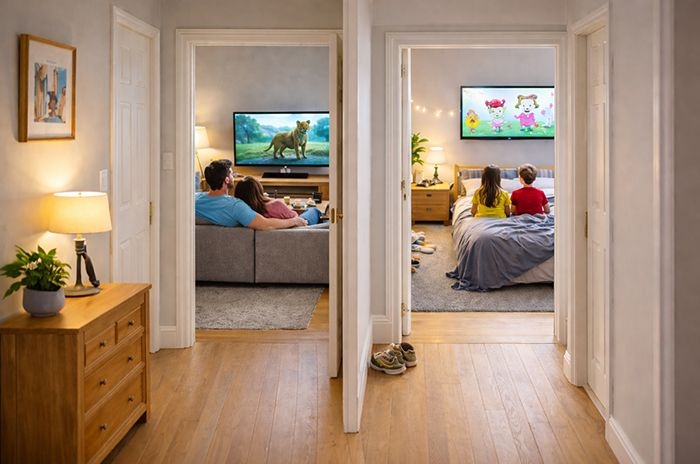
Multiroom allows a pay TV subscription to be watched in more than one room, using additional boxes connected to the main TV service.
Sky Stream customers can add up to three extra Stream Puck boxes with the Whole Home add-on, allowing the same TV service to be accessed throughout the home.
Virgin Media allows up to five additional TV boxes on eligible packages, while BT TV supports one extra box and EE TV customers can add up to two additional boxes.
TL;DR: Quick verdict
If you want the most flexible and future-proof multiroom setup, Sky Stream currently offers the strongest overall solution. Its Whole Home add-on allows viewing in up to four additional rooms using compact, wire-free pucks, with consistent HD and 4K support and a single monthly fee regardless of how many rooms you add.
Virgin Media is a strong alternative for households already bundling ultrafast broadband, offering up to five additional boxes and straightforward internet-based installs on newer Stream hardware. However, costs can rise quickly as each extra box carries a monthly charge, making it better suited to larger homes that value simplicity over long-term cost control.
BT and EE work best for smaller households that only need TV in one or two extra rooms. Their Edge Extra Box options are cheaper at low scale, but lack recording features and don't scale as well for whole-home viewing. For many households, it's also worth checking whether apps alone are sufficient before committing to a paid multiroom add-on.
How does multiroom work?
'Multiroom', 'multiscreen', or 'extra box' services allow a premium pay TV customer to access their subscription in a second room in the home by providing an additional box connected to their plan.
Often, multiroom services allow more than one additional box, making it possible to cover bedrooms or family rooms away from the main TV in the living room.
Newer boxes, including Sky Stream pucks, Virgin Media Stream boxes, and BT / EE's Edge extra box, deliver TV over WiFi or Ethernet, so they only need a broadband connection to work.
However, some older systems still operate differently. For example, Virgin Media TV 360 mini boxes used by existing customers require their own cable connection from outside the property, which can limit where they can be installed.
While multiroom add-ons do come with an extra cost, they are usually far cheaper than taking out a separate pay TV subscription just to watch programmes in another room.
That said, for those on a budget, Sky and Virgin Media also offer apps for Android, iOS, Fire, Windows and Mac, allowing customers to watch TV on laptops, tablets and mobile devices at no extra cost.
Where plans include bundled streaming services, such as Netflix, customers may need to upgrade those subscriptions separately to watch on multiple devices at the same time.
Which TV providers offer multiroom?
Multiroom services are offered by the UK's main pay TV providers, allowing customers to watch their TV subscription in more than one room.
Sky, Virgin Media and BT / EE all provide multiroom or extra box options, although the number of additional rooms supported, pricing, and how the service works varies by platform.
Below, we compare the current multiroom options available from each provider.
| Sky Stream | Sky Q | Virgin Media | BT TV | EE TV | |
|---|---|---|---|---|---|
| Monthly price | £15 (£12 for new customers) | £15 | £10 (+£5 per additional box) | £10 | £5 |
| Upfront cost | First free, then £39.95 per box | £50 per box | None | None | None |
| Maximum extra boxes | 3 | 4 (but only watch on 2 simultaneously) | 5 | 1 | 2 |
| Wireless connection | Yes | Yes | Yes (older 360 mini boxes need a cable connection) | Yes | Yes |
| 4K-ready | Yes | No | Yes | Yes | Yes |
| Minimum term | 31 days | 24 months | 30 days | 1 month | 1 month |
Virgin Media's multiroom offering is currently in transition as the provider rolls out full fibre broadband, which does not support the legacy TV 360 platform.
As a result, new customers - including those in areas still served by coaxial (DOCSIS 3.1) cable - are now typically offered Stream boxes for additional rooms instead of the TV 360 Mini box. The key advantage is that Stream boxes connect over broadband rather than requiring a separate cable feed, and Virgin Media allows customers to add up to five extra boxes.
Customers who take Virgin Media's Flex service do not have a traditional multiroom option. Instead, viewing in additional rooms is handled via the Virgin TV Go app, which is included at no extra cost.
How to choose the right multiroom service
Multiroom services allow households to watch different channels at the same time and access their TV subscription in more than one room.
For many customers, whether a TV provider offers a flexible multiroom option will be an important factor when comparing TV deals.
Before choosing a multiroom service, it's worth asking:
- How much does the multiroom add-on cost each month?
- Are there any upfront fees for extra boxes?
- How many additional boxes are allowed, and is that enough for the household?
- Do the extra boxes support 4K, and does that matter?
- How many TVs can be watched at the same time?
- Is the multiroom service tied to a long contract?
- Could app-based viewing on tablets or laptops be sufficient instead?
The answers will vary by household, and each provider takes a slightly different approach to multiroom.
For example, Sky is the only major provider that allows TV to be taken without broadband, while Virgin Media and BT typically include installation with no upfront hardware costs.
Pricing structures also differ: Virgin Media generally charges a monthly fee for each additional box, whereas Sky tends to rely more on upfront costs, particularly for extra hardware.
Multiroom offers
TV providers occasionally offer discounted multiroom upgrades to existing customers, often as an incentive to renew or extend a contract.
Not all of the best deals are publicly advertised, so it's worth keeping an eye out for upgrade promotions rather than assuming the standard price is fixed.
For example, Sky frequently runs reduced-price multiroom or hardware upgrades, particularly around bank holiday weekends.
Even when an offer is visible, it may not be the best available. In many cases it can pay to haggle, especially if you're approaching the end of a contract.
Knowing what new customers are offered - and how much those deals cost - can give you useful leverage when negotiating a multiroom upgrade.
Sky Whole Home
Best for: Wire-free access to premium Sky content in up to four additional rooms.
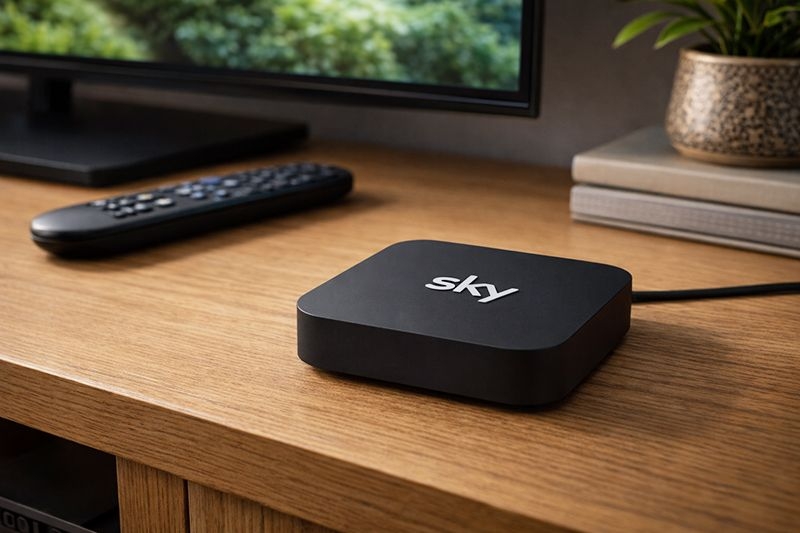
Sky Stream Puck Box. Credit: Choose.co.uk
Sky Whole Home is the multiroom service for Sky's new streaming service, Sky Stream, as well as on Sky Glass.
Customers are provided with additional Sky Stream Puck boxes that are the same device as the main Stream boxset, so there is no loss of features in additional rooms.
Here are the main features of Sky Whole Home:
- Sky Whole Home costs £12 per month (or £15 per month at standard pricing), regardless of how many additional Puck boxes are added
- Sky charges an upfront fee for extra Puck boxes, but the monthly fee stays the same, making it cheaper over the long term for homes with multiple rooms
- Customers can add up to three additional Puck boxes, with the first included and further boxes costing £39.95 each as a one-off
- The minimum term is just 31 days, offering flexibility for customers who don't want a long commitment
- Additional boxes are easy to set up, requiring only a power supply and a Wi-Fi connection to the main router
Unlike Sky Q mini boxes, Sky Puck boxes don't act as a wireless booster for the broadband, but Sky broadband customers can access their WiFi Max add-on for £4 per month if they feel the wireless signal needs boosting around the home.
Sky TV customers can also access the Sky Go app, which allows them to watch subscribed content on additional devices at no extra cost, including game consoles like PlayStation and Xbox, both Windows and Apple laptops, as well as Android and iOS tablets and smartphones.
Sky Q Multiscreen
Best for: Existing Sky Q subscribers who want to watch premium content in additional rooms in their home, although only where up to two boxes will be used at the same time.
Sky Multiscreen allows customers to watch their Sky Q subscription content on Sky Q Mini boxes around the home.
These boxes are connected to the main Sky Q box via wi-fi or powerline adaptors that send data over the mains power cables and then to the box via an Ethernet LAN cable, making it easy to wire boxes across different rooms in the home.
Here are the main points to know about Sky Multiscreen:
- The service costs £15 per month on top of a customer's Sky TV subscription
- It comes with one Sky Mini box
- Extra Sky Mini boxes can be purchased for £50 each with no extra ongoing costs (up to a maximum of four)
- Customers commit to a 24-month contract
While Sky TV doesn't have to be taken alongside Sky broadband, it's worth highlighting that Sky Mini boxes can also act as wi-fi boosters when the services are used together.
Something to note is that Sky Q Mini boxes only support 720p and do not support Ultra HD content, even if the Mini is connected to a UHD-ready TV.
Content can be watched concurrently on up to two Sky Q Mini boxes at a time, taking the total number of TVs that can be watched simultaneously up to three.
As with Sky Stream, Sky Q customers can also access the Sky Go app to watch content on additional devices including computers, tablets and mobile phones.
There's also the option with Sky Go to register an Xbox or PlayStation to use as one of the viewing devices, and four devices can be registered in total.
Virgin Media Multiroom
Best for: Those who want to watch TV in up to six rooms on a flexible basis, with a free whole home WiFi guarantee included.
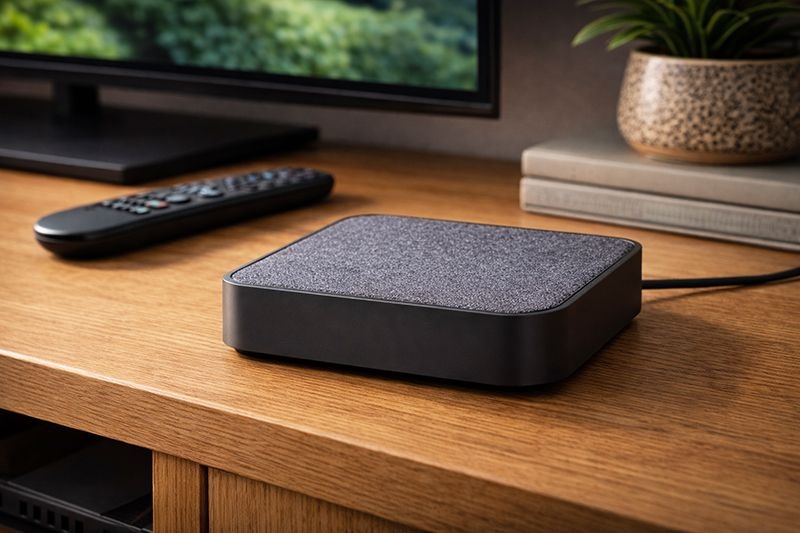
Virgin Media Stream Box. Credit: Choose.co.uk
Virgin Media Multiroom now allows customers to take up to five additional Stream boxes with their Virgin TV package.
Multiroom is only available with the Mega TV bundles, like the Entertainment, Cinema, and Sport plans. It's not available with the new Flex TV service, despite using the same Stream boxes.
Here are the key points:
- Virgin Media Multiroom costs £10 per month for the first extra box, and then an extra £5 per month for each additional box up to five extra boxes
- There is no upfront cost for Virgin Media Multiroom or to access the additional boxes
- Customers are provided with Stream boxes with Multiroom, which supports Ultra HD and can be connected via WiFi
- Customers get Virgin Media's WiFi Max whole home WiFi guarantee included at no extra cost, so they can be sure wireless signal for streaming TV will be good in all rooms in the home
The move from TV 360 mini boxes to using Virgin Media's new Stream boxes has a number of upsides, most notably ease of installation with Stream connecting over WiFi, while TV 360 mini boxes needed their own coaxial cable connection from outside, which could limit the rooms where a second box could be installed.
Like Sky, Virgin Media also have an app called Virgin TV Go, which allows customers to watch subscribed content on laptops and tablets, including Android, iOS, Windows 10, PC and Mac.
BT & EE TV Box Edge Extra Box
Best for: Homes that only want to watch TV in one or two additional rooms without a full recorder.
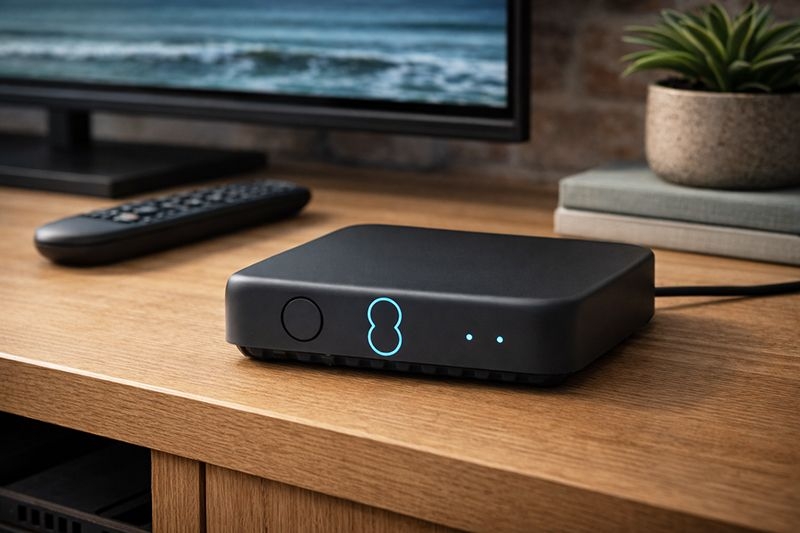
EE TV Box Edge. Credit: Choose.co.uk
The EE TV Box Edge Extra Box (formerly known as the BT TV Edge Extra Box) is an additional TV box that can be added to an EE or BT TV subscription, allowing customers to watch their TV service in another room without taking out a separate full TV package.
The Edge Extra Box is a compact set-top box that supports up to 4K HDR picture quality and Dolby Atmos sound for eligible content. It does not include a built-in recorder, but it can pause and rewind live TV for up to two hours and provides access to on-demand apps and services over a broadband connection.
Unlike the main EE TV Box Pro, which can record programmes and accept an aerial connection, the Edge Extra Box relies entirely on an internet connection (Wi-Fi or Ethernet) to stream live and on-demand channels. It connects to the TV via HDMI and does not include an aerial tuner.
Here are the key points to be aware of:
- EE TV customers can add up to two Edge Extra Boxes, typically costing £5 per month per box.
- BT TV customers can add one Edge Extra Box, usually costing £10 per month.
- The box supports up to 4K HDR and Dolby Atmos where available.
- There is no recording functionality, but live TV can be paused and rewound for up to two hours.
- A stable broadband connection is required, as live TV is streamed over the internet.
Both EE and BT also provide TV apps for mobile devices and tablets, allowing customers to watch included channels and on-demand content without an extra box, although simultaneous viewing limits depend on the specific subscription.
Verdict: Which multiroom service is best?
Sky, Virgin Media, BT and EE all offer add-on services that allow customers to watch their TV subscription in more than one room.
In many cases, the apps provided by each platform can already extend viewing to laptops, tablets and mobile devices at no extra cost, which is worth considering first - particularly in homes with PlayStation or Xbox consoles in bedrooms.
In practice, most households will choose a pay TV provider first and then assess how the available multiroom add-on fits their needs.
For customers who want a dedicated multiroom setup, Sky Stream and Virgin Media currently offer the strongest options. Both allow TV viewing in three to five additional rooms, support HD and 4K Ultra HD where available, and use broadband-based boxes that avoid the need for extra cabling.
Virgin Media earns additional credit for bundling its whole-home WiFi guarantee at no extra cost - a feature worth £8 per month - which can help improve reliability when streaming TV in upstairs rooms.
Sky, however, may work out cheaper over the long term. While customers pay more upfront for additional Stream pucks, the Whole Home add-on remains a fixed monthly fee of around £12-£15, regardless of how many rooms are connected.
Virgin Media's approach can become more expensive over time, with customers paying up to £30 extra per month for five additional boxes, although there are no upfront fees.
BT and EE offer more limited multiroom options, making them better suited to households that only want TV in one additional room.
Overall, customers should explore app-based viewing first. Where a dedicated multiroom service is needed, Sky Stream offers the best balance of flexibility and long-term value, while Virgin Media remains a strong alternative for homes prioritising WiFi coverage and broadband-led TV.