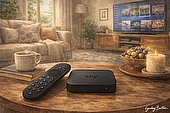
Sky Whole Home lets Sky customers watch their subscription on more than one TV, using additional Stream pucks connected over WiFi.
The setup is straightforward, but the cost varies depending on how many rooms you want to cover and what equipment you already own.
Whether it's worth adding depends on how your household watches TV - and whether free options like Sky Go already cover your needs.

Quick answer: Sky Whole Home - what you need to know
Sky Whole Home is Sky's multiroom add-on, letting different people watch different shows on different TVs at the same time.
It works across up to six Sky Stream pucks and three Sky Glass TVs - so that's six rooms covered by pucks alone, or up to nine if you have Sky Glass sets in the mix too.
It costs £15/month on a 31-day rolling contract - useful if you only need it occasionally, such as when family visits. The first extra puck is free; any additional pucks cost £39.95 each as a one-off setup fee.
The pucks aren't yours to keep - they're on loan from Sky and must be returned if you cancel. Sky Glass TVs are a different story: you own those outright.
For more on Sky TV plans see our Sky TV packages review, or compare multiroom options across providers in our guide to the best multiroom TV plan.
What is Sky Whole Home?
Sky Whole Home is Sky's multiroom add-on for Stream and Glass customers, letting your household watch Sky on more than one TV at the same time.
Each additional TV gets its own Stream puck, giving it full access to your Sky subscription - live channels, on-demand, and your personalised playlist - independently of what anyone else in the house is watching.
Every puck runs as its own independent viewer, so there's no need to pause or compromise on what's on in the main room.
It's the practical solution for households where different people want to watch different things at the same time - families with kids, couples with clashing tastes, or anyone who's tired of negotiating over the remote.
Note: Sky Q customers use Sky Multiscreen instead, which provides Sky Q Mini boxes that connect to your main Sky Q box over WiFi to watch Sky in other rooms.
How does Sky Whole Home work?
Sky Whole Home runs entirely over your home broadband connection - there's no satellite dish, no main box acting as a hub, and no cables running between rooms.
That's a fundamental shift from how Sky Q Multiscreen worked. Mini boxes streamed content wirelessly from the main Sky Q box rather than directly from the internet - so they were only as good as the connection between the two. They were also limited to 720p HD, and the main box could only serve two Mini boxes with live TV simultaneously.
Each Sky Stream puck box is a thin client - it has no hard drive or local storage, and streams everything directly from the internet over your home WiFi or a wired ethernet connection.
Sky Glass and Glass Air work exactly the same way - it's the same platform, the same independent internet connection, and the same Whole Home experience. The only difference is that Glass is a TV set with the technology built in rather than a separate box. Sky limits Glass to three sets per account compared to six pucks, though it hasn't stated a specific reason for that difference.
In practice, the real limit on how many rooms Whole Home can cover is your broadband connection, not the hardware. That's a significant change from Sky Q Multiscreen, where the main box had a hard ceiling of two simultaneous Mini box streams - a constraint built into the box itself, not the network.
Because every puck connects independently, each TV in the house pulls its own full-quality stream. The platform runs the same across every device - your playlist, watch history, and personalised profile travel with you from room to room, not with the box you happen to be sitting in front of.
Sky Stream supports multiple personalised playlists per account, so each member of the household can keep their own watchlist separate. That's something Sky Q never offered - on Sky Q, everyone shares the same experience regardless of who's watching.
How many rooms can you watch Sky TV in?
Sky Whole Home supports up to six Stream pucks and three Sky Glass TVs - so up to nine rooms in total, though most households will use two or three.
Unlike Sky Q Multiscreen, there's no hard ceiling imposed by a central box. The practical limit is your broadband connection - the more rooms streaming simultaneously, the more speed you need.
Sky's own guidance gives a clear formula: 25Mbps for your first device, plus 5Mbps for every additional puck running at the same time. That works out as follows for HD streaming:
| Rooms in use | Recommended speed |
|---|---|
| 1 room | 25Mbps |
| 2 rooms | 30Mbps |
| 3 rooms | 35Mbps |
| 4 rooms | 40Mbps |
| 6 rooms | 50Mbps |
Most standard superfast broadband connections (50-80Mbps) comfortably cover three or four rooms simultaneously. For a full six-room setup in HD, or fewer rooms in 4K, a full fibre connection of 100Mbps or above gives the headroom you need.
Not sure what speed you're on? Check with our broadband speed test.
WiFi and room placement
Each puck only needs a power socket and a WiFi connection - no additional cabling or wiring required. That means it can go in any room that has a signal, including bedrooms, kitchens, and home offices.
The puck supports WiFi 6, so a WiFi 6 router gives the best performance. Sky full fibre customers now get the Sky Max Hub (WiFi 6) as standard. Customers on older or part-fibre plans can add Sky WiFi Max at £4/month, which upgrades the router to the Max Hub and includes up to three mesh boosters.
The practical relevance for Whole Home customers: Sky WiFi Max guarantees a minimum of 25Mbps in every room on Full Fibre 150 and above - exactly Sky's minimum requirement for a Stream device. For households with coverage gaps in distant rooms, it removes the guesswork. The guarantee covers converted lofts and basements but excludes gardens, sheds, and external buildings.
Read more about Sky broadband in our full guide.
How much does Sky Whole Home cost?
Sky Whole Home costs £15 a month on top of your existing Sky TV subscription. It's available on a 31-day rolling contract, so you can add or cancel it without being locked in.
The first extra puck is free when you add Whole Home. Additional pucks cost £39.95 each as a one-off setup fee - this is an activation charge, not a purchase price. The pucks remain Sky's property and must be returned if you cancel.
Sky Glass TVs are different - you own those outright, so there's nothing to return.
The table below shows the Whole Home costs for different room setups. These figures cover the monthly subscription and any one-off puck fees - they don't include your base Sky TV plan. See the plan table below for full monthly pricing.
| Rooms | Extra pucks needed | One-off puck cost | Monthly add-on |
|---|---|---|---|
| 2 rooms | 1 | Free | £15/month |
| 3 rooms | 2 | £39.95 | £15/month |
| 4 rooms | 3 | £79.90 | £15/month |
| 6 rooms | 5 | £159.80 | £15/month |
The monthly subscription stays the same regardless of how many pucks you add - the only variable is the one-off setup fee per additional puck. For most households adding one or two extra rooms, the upfront cost is modest.
Customers who don't yet have Sky TV can access Whole Home through either an Essential or Ultimate TV plan:
| Package | Includes | Monthly price | Upfront price | Contract term | |
|---|---|---|---|---|---|
 |
Sky Essential TV | Netflix, Sky Atlantic, Discovery+ | £15 | Free | 24 months |
 Offer: Free setup (worth £39.95) Offer: Free setup (worth £39.95) | |||||
|
Sky Ultimate TV | Netflix, Sky Atlantic, Discovery+, Sky Entertainment, Disney+, Hayu, HBO Max | £24 | Free | 24 months |
| Offer: Save £11/mth on Sky Ultimate TV + Free setup (worth £39.95) | |||||
Sky Whole Home is available on both plans. Ultimate TV includes more channels and bundles Netflix, Disney+, HBO Max, and Hayu - which matters more in a multiroom household, as explored below.
To add Whole Home to an existing subscription, go to Your Products in the MySky app and select Manage Home Setup.
Simultaneous screen limits in bundled apps
Sky Whole Home lets every puck access your full Sky subscription independently - but the streaming apps bundled with your plan have their own simultaneous screen limits, set by each app, not by Sky.
In practice, this means a household running three or four pucks could hit a wall with certain apps before they run out of Sky streams.
The table below shows the screen limits for each app included with Sky Ultimate TV, and what it costs to upgrade:
| App | Included tier | Simultaneous screens | Upgrade via Sky |
|---|---|---|---|
| Netflix | Standard with Ads | 2 | Standard: +£6/month (2 screens, no ads). Premium: +£11/month (4 screens, 4K) |
| Disney+ | Standard with Ads | 2 | Standard: +£4/month (2 screens, no ads). Premium: +£9/month (4 screens, 4K) |
| HBO Max | Basic with Ads | 2 | Standard: +£5/month (2 screens, no ads). Premium: +£10/month (4 screens, 4K, Dolby Atmos) |
| Discovery+ | Included | 2 | No upgrade - separate subscription only |
| Hayu | Included | 1 | No upgrade available |
Netflix, Disney+, and HBO Max each allow two simultaneous streams on their included tiers - enough for most two or three room households. Upgrading is cheaper than subscribing directly, because Sky prices upgrades at the difference above the included tier rather than the full retail price.
Discovery+ supports two simultaneous streams on the included tier but has no upgrade path - a separate subscription is the only option if you need more.
Hayu is the hardest limit - one stream at a time, with no upgrade available. For Whole Home households where more than one person watches reality TV, that's a constraint worth knowing about before signing up.
Sky Go as an alternative to Whole Home
Not every household needs Whole Home. Sky Go - Sky's app for phones, tablets, and laptops - is included free with every Sky TV subscription and requires nothing extra to set up.
For a second viewer who's happy watching on a laptop or tablet, Sky Go covers most of what they need: live channels, on-demand, and catch-up, all from the same Sky account. There's no monthly fee and no hardware required.
Where Sky Go falls short is the TV. The app works on personal devices, but it doesn't turn a second television into a full Sky experience the way a puck does.
Games consoles and Apple TV are a particular sticking point. Sky Go is available on PS4, PS5, Xbox One, and Xbox Series S/X, as well as Apple TV - but accessing it on any of those devices requires a Whole Home subscription. There's no cheaper standalone route for Sky Stream customers.
Whole Home includes Sky Go Extra as standard, which unlocks console and Apple TV access alongside up to four concurrent streams on personal devices.
For households where the only goal is watching Sky on a console or Apple TV, Whole Home at £15/month can feel steep - it's essentially paying for app access on a device you already own.
In short, the decision comes down to where and how the second viewer wants to watch:
- Laptop or tablet - Sky Go, free, no action needed
- Phone - Sky Go, free, no action needed
- Games console or Apple TV - Whole Home required, £15/month
- Second TV - Whole Home required, £15/month - first extra puck is free
Frequently Asked Questions
Can two TVs connect to the WiFi at the same time?
Each puck connects to one TV via HDMI and streams from the internet to that screen - it doesn't broadcast a signal that other TVs can pick up wirelessly. One puck covers one room. If you want Sky on two TVs at the same time, you need two pucks.
Can a puck support more than one TV?
Each puck connects to one TV via HDMI - it's a one puck, one room setup. Some customers use HDMI splitters to show the same picture on two screens from a single puck, but Sky doesn't support this, 4K won't work through a splitter, and it only mirrors content rather than allowing independent viewing.
Do I own the pucks?
No - Sky Stream pucks are loaned to you and must be returned if you cancel Whole Home. The £39.95 one-off fee per puck is an activation charge, not a purchase price. Sky Glass TVs are different - those are yours to keep.
Can I cancel Whole Home without cancelling Sky?
Yes. Whole Home is a separate 31-day rolling add-on, so you can cancel it at any time without affecting your main Sky TV subscription. Bear in mind that any pucks on your account will stop working once Whole Home is cancelled, and you'll need to return them to Sky.
Does Netflix work on every puck?
The Netflix plan included with Sky Essential and Ultimate TV is Standard with Ads, which allows two simultaneous streams. That means if two pucks are already streaming Netflix at the same time, a third will be blocked until one stops. Upgrading to Netflix Standard (+£6/month) keeps the two-screen limit but removes ads; Premium (+£11/month) raises it to four screens and adds 4K.
What's the difference between Sky Go and Sky Whole Home?
Sky Go is a free app for personal devices - phones, tablets, and laptops - that lets you watch Sky on the go. Sky Whole Home is a paid add-on that extends your Sky subscription to additional TVs in your home via Stream pucks. Sky Go doesn't turn a TV into a full Sky screen; Whole Home does. The two aren't mutually exclusive - Whole Home includes Sky Go Extra as standard, which also unlocks Sky Go on games consoles and Apple TV.
I'm on Sky Q - can I switch to Sky Whole Home?
Sky Q and Sky Stream are separate platforms, so switching means replacing your Sky Q box with a Stream puck. You'd lose local recordings in the process - Sky Stream uses a cloud playlist rather than a hard drive. If you're an existing Sky Q customer, it's worth calling Sky to discuss your options, as switching mid-contract may have implications for your current deal.
Verdict: Is Sky Whole Home worth it?
Sky Whole Home is worth it for households where more than one person watches Sky at the same time - and where they want to watch on a TV, not a phone or laptop.
The value case is strongest for families. One subscription, one monthly fee, and every TV in the house gets the full Sky experience independently. No compromises, no scheduling around the main TV.
It's less compelling if the second viewer is happy on a personal device. Sky Go covers tablets, laptops, and phones at no extra cost - and for many households, that's genuinely enough.
The console and Apple TV situation is the awkward middle ground. If a PS5 or Apple TV box is the target device, Whole Home is the only route - but at £15/month purely for app access, it's a harder sell than adding a puck to a second TV.
The costs are reasonable at two or three rooms. The first extra puck is free, the monthly subscription is fixed regardless of how many rooms you add, and the 31-day rolling contract means there's no long-term commitment risk.
Here's a simple decision guide:
Choose Whole Home if:
- Different people in your household want to watch different things at the same time
- You want Sky on a second or third TV
- You want Sky Go on a games console or Apple TV
- You have a full fibre broadband connection of at least 30Mbps
You probably don't need Whole Home if:
- The second viewer is happy watching on a laptop or tablet
- Only one person in the household watches Sky at a time
- You're on a slower broadband connection with limited headroom
For more on Sky TV plans, see our guides to Sky Essential TV vs Ultimate TV and streaming services included with Sky, or compare the latest Sky TV deals.