


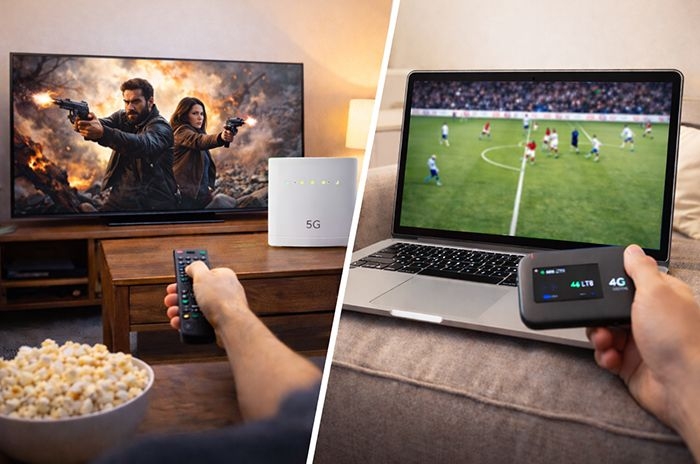
Customers can use mobile broadband devices, such as home mobile Wi-Fi hubs or MiFi routers, to connect a smart TV to the internet and stream TV content without a fixed broadband line.
This approach can work well in short-term or low-usage scenarios, but data usage adds up quickly. Streaming in standard definition typically uses around 1GB of data per hour, making unlimited or very high data allowances essential.
Network speed and coverage are just as important as data limits, so customers should check mobile coverage carefully before relying on mobile broadband for regular TV streaming.
TL;DR: Quick overview
Best used for: Temporary or flexible TV streaming where fixed broadband isn't available - such as short-term homes, rentals, or backup internet setups.
Mobile broadband can be used to stream TV on a smart TV using a 4G or 5G home hub or MiFi device, but it works best as a short-term or secondary option rather than a full replacement for fixed broadband.
It's most suitable for light to moderate streaming on unlimited data plans in areas with strong 4G or 5G coverage. It's generally less suitable for households that stream heavily, watch on multiple TVs at once, or regularly stream in Ultra HD (4K).
Who this is best for
- Households without access to reliable fixed broadband
- Short-term living situations, such as rented accommodation or student housing
- Caravans, holiday lets, or second homes needing temporary TV access
- Light to moderate TV streaming in standard or HD quality
- Users on unlimited mobile broadband plans with strong 4G or 5G coverage
Who should avoid it
- Homes that regularly stream in Ultra HD (4K) for long periods
- Households with multiple people streaming at the same time
- Areas with weak or inconsistent mobile signal indoors
- Anyone with a limited mobile data allowance
- Users expecting mobile broadband to fully match fixed fibre performance
What we mean by "watching TV on mobile broadband"
In this guide, "watching TV on mobile broadband" means using a 4G or 5G mobile internet connection to stream TV content instead of a fixed broadband line.
This can include:
- Streaming services such as Netflix, Prime Video, NOW and Disney+
- Live TV and catch-up apps like BBC iPlayer, ITVX, Channel 4 and Sky Go
- Watching on smart TVs, laptops, tablets and mobile phones
- Casting content from a phone or tablet to a TV, or using apps built directly into a smart TV or TV box
It's important to note that watching TV on a large screen behaves very differently to watching on a phone or tablet.
Smart TVs and TV apps usually default to higher resolutions, which means they use significantly more data and require more stable speeds than mobile devices. A stream that works perfectly on a phone may buffer, drop in quality, or quickly consume data when viewed on a full-size TV.
This is why mobile broadband can feel perfectly adequate for watching TV on laptops, tablets or phones, but more demanding when used as the main internet connection for a household TV.
Ways to connect mobile broadband to a TV
There are several ways to connect a smart TV to the internet using mobile broadband, but not all options offer the same reliability or performance.
Below, we explain the main connection methods, starting with the most practical option for regular TV streaming and ending with those that are best avoided.
Mobile broadband home routers (best option)
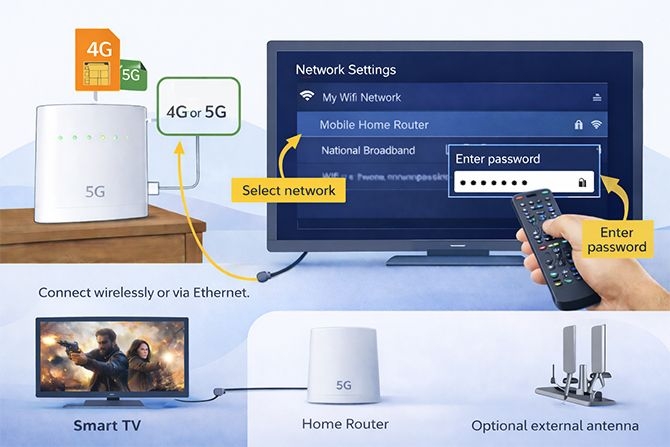
How to watch TV with 4G or 5G home broadband router. Credit: Choose.co.uk
A mobile broadband home router is the most reliable way to use mobile internet for TV streaming, particularly if it's designed as a replacement for fixed broadband.
These routers use a 4G or 5G SIM and create a Wi-Fi network in the same way as a traditional broadband router.
To connect a smart TV:
- Open the TV's Wi-Fi or network settings
- Select the mobile broadband router from the available networks
- Enter the Wi-Fi password
Once connected, the TV will usually reconnect automatically whenever both devices are switched on.
Many modern mobile home routers also include Ethernet ports, allowing a wired connection to the TV. This is often more stable than Wi-Fi and can help reduce buffering, especially when streaming in HD.
Higher-end 5G routers from providers like Three, EE and Vodafone, as well as specialist providers such as National Broadband, are better suited to whole-home use. Some models also support external antennas, which can significantly improve performance in areas with weaker signal.
Portable MiFi devices and hotspots (limited use)
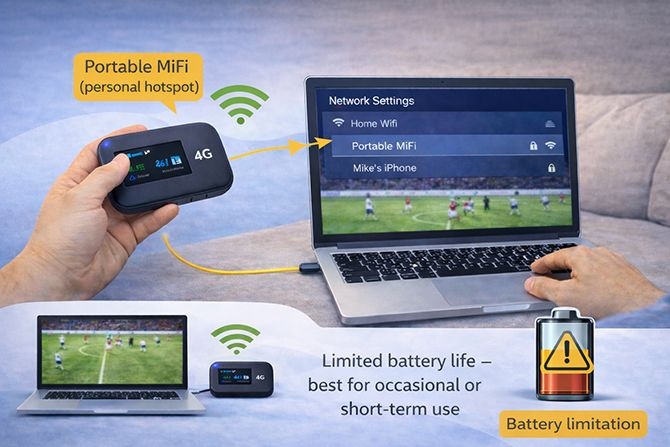
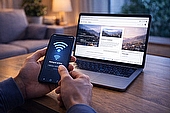
How to watch TV with a 4G or 5G MiFi hotspot. Credit: Choose.co.uk
A MiFi device - sometimes called a personal hotspot - is a small, portable unit that allows multiple devices to connect to the internet over Wi-Fi.
Connecting a TV to a MiFi device works in the same way as with a home router, by selecting the device's Wi-Fi network in the TV's settings.
However, MiFi devices come with important limitations. MiFi devices usually run on battery power, often lasting only a few hours when under constant load from video streaming.
They also have weaker signal strength and are not designed to provide stable, whole-home coverage. Most do not include Ethernet ports, so a wired connection isn't possible.
For this reason, MiFi devices are best suited to occasional or short-term TV viewing rather than daily use, especially on larger screens.
USB dongles (not recommended)
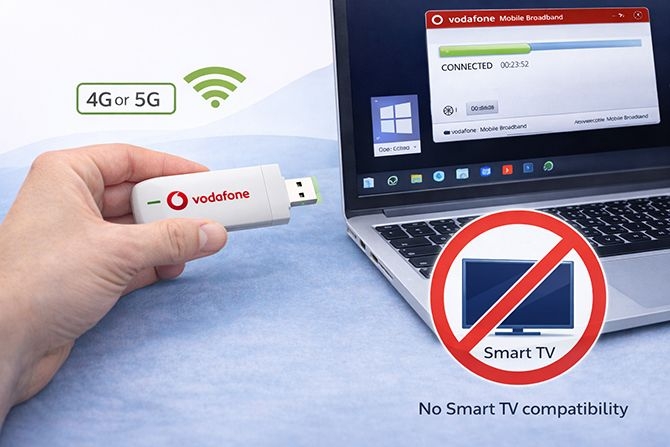
Watching TV with a USB dongle is only possible when using a laptop or desktop PC. Credit: Choose.co.uk (illustrative)
Some mobile broadband deals include USB dongles intended to connect a single device, such as a laptop, to the internet.
In practice, USB dongles are not recommended for smart TVs. Compatibility is the main issue, as dongles are typically designed to work with Windows or macOS rather than smart TV operating systems.
For example, Vodafone's K5161z USB dongle lists compatibility with Windows and macOS only, and does not support smart TV platforms.
Although some users report limited success via forums, USB dongles should not be relied on as a practical or supported way to connect a TV to mobile broadband - particularly if it involves signing up to a contract or paying upfront.
Mobile broadband vs screen size
One of the biggest reasons people struggle when using mobile broadband for TV streaming is screen size.
Streaming video on a phone or tablet behaves very differently to streaming on a full-sized TV - even when using the same mobile connection.
Why phones and tablets cope better
Most streaming apps automatically limit video quality on mobile devices to reduce data use and avoid buffering.
On phones and tablets, apps such as Netflix, Prime Video and iPlayer typically default to lower resolutions, often 480p or 720p, unless the user manually changes the settings.
This means mobile streaming on smaller screens uses far less data and is more forgiving of fluctuating mobile speeds.
| Device type | Typical default resolution | Approx data use per hour | Impact on mobile broadband |
|---|---|---|---|
| Phone | 480p - 720p | 0.3-1GB | Low data use, very forgiving |
| Tablet | 720p - 1080p | 1-2GB | Moderate data use |
| Smart TV (HD) | 1080p | 3GB | High, sustained data use |
| Smart TV (4K) | Ultra HD | 6-7GB | Very demanding, prone to buffering |
Even on the same mobile connection, a smart TV can use six to ten times more data per hour than a phone - simply because of resolution and screen size.
Why smart TVs use more data
Smart TVs behave very differently. Most TV apps default to the highest quality available - usually HD (1080p) or Ultra HD (4K) - if the connection appears fast enough.
Because the screen is larger, the TV continuously requests higher-quality video, which results in much higher sustained data usage.
As a result:
- Data allowances are used up far more quickly
- Any dips in speed are more noticeable
- Buffering and quality drops are easier to see
This is why a connection that "worked fine on my phone" can struggle when used to stream TV on a large screen.
Why buffering is more obvious on TVs
Mobile broadband speeds can fluctuate from minute to minute due to signal quality, network congestion and time of day.
On phones, short drops in speed are often hidden by aggressive buffering and lower resolution video.
On TVs, where streams are higher quality and more data-hungry, those same drops can cause visible buffering, sudden drops in picture quality, or pauses in playback.
What this means in practice
Using mobile broadband to watch TV is often workable - but only if expectations are realistic.
It tends to work best when:
- Streaming in standard definition or HD rather than 4K
- Using unlimited mobile data
- Connected via a strong 4G or 5G signal
- Only one device is streaming at a time
For heavy Ultra HD viewing on large screens, mobile broadband is still more of a compromise than a true replacement for fixed broadband.
Data usage and mobile broadband plans
Once a smart TV is connected to mobile broadband, data usage becomes the biggest limiting factor - more so than setup or compatibility.
Streaming video involves sustained data transfer, and on a TV this can quickly exceed the allowances found on many mobile broadband plans.
How much data does streaming TV use?
Data usage varies by streaming quality, but smart TVs usually default to higher resolutions than phones or tablets.
As a guide, most major streaming services quote the following data usage per hour:
| Streaming quality | Approx data used per hour |
|---|---|
| Low (mobile-optimised) | 0.3GB |
| Standard definition (SD) | 1GB |
| High definition (HD / 1080p) | 3GB |
| Ultra HD / 4K | 6-7GB |
On a smart TV, HD streaming is common by default, meaning a single evening of viewing can easily consume 6-10GB of data.
Unlimited vs capped data plans
For regular TV streaming, an unlimited mobile broadband plan is strongly recommended.
Even a seemingly large capped allowance can be used up quickly. For example, a 50GB plan could be exhausted in under two weeks with daily HD streaming.
Unlimited plans remove this pressure, but customers should still be aware of:
- Network traffic management policies
- Speed reductions during busy periods
- Fair usage policies on some mobile broadband tariffs
Home-style mobile broadband routers on unlimited plans - particularly 5G where available - offer the most realistic experience for TV streaming.
Managing data usage on a smart TV
Some smart TVs and streaming apps allow users to manually reduce streaming quality.
Where possible, lowering playback to standard definition can dramatically reduce data use without making content unwatchable on smaller TVs.
However, not all TV apps expose data-saving controls, and many default back to HD automatically.
This means customers relying on mobile broadband should actively check quality settings within each streaming service they use.
Other devices using the connection
Mobile broadband hubs often serve multiple devices at once, not just the TV.
Background activity such as cloud backups, software updates, or other people streaming at the same time can quickly degrade performance.
This is one of the key reasons mobile broadband works best for:
- Single-person households
- Occasional or light TV streaming
- Short-term or temporary use
For households expecting a fixed-broadband-style experience with multiple simultaneous streams, mobile broadband is unlikely to be a full replacement.
Speed, coverage and real-world performance
Whether mobile broadband is good enough for TV streaming comes down to three things: speed, signal quality, and consistency.
While streaming apps publish minimum speed requirements, mobile broadband behaves very differently to fixed broadband. Speeds can fluctuate minute-to-minute, indoor signal strength varies widely, and performance often drops at busy times.
This is why a setup that feels fine on a phone or tablet doesn't always translate well to a TV - especially when streaming in HD or Ultra HD on a large screen.
Before committing to mobile broadband for TV, it's worth understanding how 4G and 5G compare to fixed broadband in real-world viewing conditions, and what makes a mobile setup more (or less) suitable for streaming.
Speed
Streaming services publish minimum speed requirements, but these figures assume stable, uninterrupted connections. Mobile broadband connections fluctuate far more than fixed broadband, so users typically need speeds well above the stated minimums to stream reliably.
As a general guide, Netflix recommends:
- At least 3Mbps for standard definition (SD)
- At least 5Mbps for high definition (HD)
- Around 15-25Mbps for Ultra HD (4K)
In practice, mobile broadband users should aim for comfortably higher speeds, particularly when streaming to a TV. Unlike phones and tablets, TVs default to higher resolutions and maintain those streams continuously, which makes buffering and quality drops more noticeable.
Mobile broadband relies on 4G and, increasingly, 5G networks. While 5G can deliver very high speeds in ideal conditions, most households experience a mix of 4G and 5G depending on location, indoor signal strength and network congestion.
Even on strong networks such as EE, real-world speeds can vary significantly throughout the day. Peak evening usage - when many people are connected to the same mast - is often when streaming performance drops.
5G mobile broadband can offer a more consistent experience where coverage is strong, but it is not yet a like-for-like replacement for fixed broadband for households streaming TV regularly.
Dedicated mobile broadband home routers generally cope better with sustained streaming than MiFi devices, which are designed for portability rather than continuous high-bandwidth use.
Where available, connecting a mobile broadband router directly to the TV using an Ethernet cable can improve stability, although it cannot compensate for weak or congested mobile network speeds.
Coverage and signal strength
Coverage and indoor signal strength are often the deciding factors in whether mobile broadband is viable for TV streaming.
UK 4G coverage is now widespread, and most homes can receive an indoor 4G signal from at least one mobile network. However, coverage varies significantly between operators, and strong outdoor coverage does not always translate to reliable indoor performance.
Before relying on mobile broadband for TV streaming, it's essential to check coverage for the specific network - not just mobile coverage in general. Each operator provides a postcode-level coverage checker showing expected indoor signal strength.
Read more about mobile coverage in the UK, including how ongoing 5G rollout may improve performance over time.
Signal strength also affects how well the mobile broadband device delivers Wi-Fi to the TV.
Many of the same principles used to improve home broadband speeds apply when using mobile broadband:
- Place the mobile broadband router in a central or elevated position.
- Avoid placing it on the floor or behind furniture.
- Keep it clear of clutter and other electronics that may cause interference.
- If possible, position the router in the same room as the TV with a clear line of sight.
Testing speeds on a phone or tablet connected to the same mobile broadband device can help identify the best placement before relying on it for regular TV streaming.
4G vs 5G vs fixed broadband for TV
| 4G mobile broadband | 5G mobile broadband | Fixed broadband (fibre) | |
|---|---|---|---|
| Typical TV streaming quality | SD to HD | HD to 4K (where coverage is strong) | HD and 4K consistently |
| Speed stability | Variable | More stable than 4G, still variable | Highly stable |
| Evening congestion | Common | Less common, but still possible | Rare |
| Best for | Occasional TV, catch-up apps | Regular streaming where 5G is strong | Daily TV streaming and households |
| Realistic replacement for broadband? | No | Sometimes | Yes |
What makes a mobile broadband setup TV-friendly?
Mobile broadband can work well for TV streaming, but only when the setup and conditions are right. The checklist below can help you judge whether your home is likely to get a usable experience.
- Strong indoor signal: Reliable 4G or 5G indoors from your chosen network, not just outdoor coverage.
- Unlimited or very high data allowance: TV streaming quickly consumes data, especially on larger screens.
- Dedicated home router: A 4G or 5G home broadband hub performs better than a portable MiFi device.
- Ethernet connection where possible: Wiring the TV directly to the router improves stability.
- Reasonable expectations: HD streaming is more realistic than sustained 4K for most mobile setups.
- Limited simultaneous use: Fewer devices connected at the same time means better TV performance.
If several of these boxes aren't ticked, mobile broadband is more likely to feel like a compromise rather than a true alternative to fixed broadband for TV.
Zero-rated and "unlimited streaming" exceptions
Some mobile plans include perks or allowances that let certain video apps stream without using a customer's data allowance - but these benefits are usually designed for mobile phones and tablets, not for streaming to a smart TV via a hotspot or mobile broadband router.
For a broader and regularly updated list of plans with streaming perks, see our guide on unlimited streaming and video data plans.
Zero-rated and unlimited video plans
Certain mobile networks offer "unlimited video" or zero-rating on selected apps when watched directly within the app on a phone or tablet. Typical examples include:
| Mobile network | Streaming allowance (historical / current) |
|---|---|
| VOXI | Unlimited streaming on selected video apps such as YouTube, Netflix, Amazon Prime Video, My5 and others on qualifying plans. |
| Sky Mobile | Historical zero-rating for streaming via Sky Go, Sky TV and other Sky apps when watched on mobile devices. |
| EE (older plans) | Previously included streaming allowances on selected video and catch-up apps; availability varies by plan and has changed over time. |
These perks are intended for mobile device use only. They usually do not apply when attempting to stream the same services on a larger screen via a hotspot or mobile broadband router.
Unlimited data SIM plans
Many mobile networks and MVNOs now offer unlimited data SIM plans. These don't zero-rate specific apps, but they provide high or uncapped data allowances that can make heavy streaming more affordable.
Common unlimited data SIM options include:
- Unlimited data SIMs from major networks like Vodafone, Three, O2 and EE
- MVNO unlimited data plans from SMARTY, iD Mobile, Giffgaff, Tesco Mobile and UW Mobile
- Some plans allow tethering or hotspot use without additional charges
While unlimited data plans remove the worry of hitting a cap, they are not the same as zero-rated streaming - and mobile networks may still apply fair use policies or deprioritise traffic during congestion.
Why these perks don't usually help with TV streaming
Most zero-rating and unlimited video perks are conditional on being watched within the app on the mobile device itself, and they frequently exclude:
- Streaming via hotspot or tethering
- Streaming through a mobile broadband router
- Use on smart TVs, set-top boxes, consoles or other connected devices
Because TVs default to higher resolutions (HD or 4K) and require sustained high bandwidth, these perks typically don't translate into a "data-free" TV experience, even if they work on phones or tablets.
Key takeaway
Zero-rated and unlimited video perks can be valuable for watching shows and clips on phones or tablets, but they should not be relied upon for regular TV streaming via mobile broadband.
For home TV use, assume that streaming will count towards your data allowance unless a provider explicitly states otherwise in its terms.
Watching TV on laptops, tablets and phones
While using mobile broadband to stream TV on a large screen can be demanding, watching TV on laptops, tablets and smartphones is usually far more practical and reliable.
This is because streaming apps and websites behave differently on mobile devices compared to smart TVs. Phones, tablets and laptops typically default to lower resolutions, adapt more quickly to changes in connection quality, and are better at managing data usage.
Why mobile devices work better on mobile broadband
- Lower default resolution: Most mobile apps stream at 720p or 1080p by default, rather than pushing Ultra HD, which significantly reduces data use.
- Adaptive streaming: Mobile devices adjust quality more aggressively when signal strength drops, making buffering less noticeable.
- Built-in data controls: Many apps offer "data saver" or "mobile data" modes that limit resolution and background usage.
- Smaller screens: Compression artefacts and quality drops are far less obvious on smaller displays than on a full-size TV.
- Faster recovery: Phones and tablets tend to reconnect and resume streams more smoothly when mobile signal fluctuates.
For these reasons, mobile broadband often feels perfectly adequate for watching TV on personal devices - even when the same connection struggles to deliver a smooth experience on a smart TV.
This makes mobile broadband particularly well suited to casual viewing, short sessions, and situations where portability matters, such as commuting, travelling, or temporary living arrangements.
In practice, many households find that mobile broadband works best as a personal viewing solution for laptops, tablets and phones, rather than as a full replacement for fixed broadband when streaming on a main TV.
When mobile broadband can replace fixed broadband - and when it can't
Mobile broadband can work as a replacement for fixed broadband in some situations, but it is not a like-for-like substitute for most households.
Whether it is a viable alternative depends on how TV is watched, how much is streamed, and how consistent mobile network performance is at a specific address.
When mobile broadband can work as a broadband replacement
- Single-person households or light users who mainly stream on laptops, tablets or phones
- Homes with strong, consistent indoor 4G or 5G coverage from at least one network
- Households using unlimited mobile broadband plans designed for home use
- Short-term living situations such as rentals, student housing or temporary accommodation
- Users who mostly stream in standard or HD quality rather than Ultra HD
In these cases, a dedicated 4G or 5G home router can provide a usable day-to-day internet connection, including TV streaming, without the need for a fixed line.
When fixed broadband is still the better option
- Homes with multiple people streaming at the same time
- Regular Ultra HD (4K) TV viewing on a main living-room TV
- Households relying on live TV streaming for long periods
- Properties with weak or inconsistent indoor mobile signal
- Users expecting fibre-like reliability, low latency and consistent speeds
Mobile broadband connections are inherently more variable than fixed broadband. Network congestion, signal fluctuations and indoor reception all affect performance in ways that fixed fibre connections do not.
As a result, while mobile broadband can be a practical stop-gap or alternative in specific scenarios, it is not yet a full replacement for fixed broadband for most households that stream TV regularly on large screens.
For many users, the most effective approach is a hybrid one: using fixed broadband for main TV viewing at home, while relying on mobile broadband for portable, personal viewing on laptops, tablets and phones.
Verdict: Streaming TV on mobile broadband
Final verdict: Mobile broadband can work for TV streaming in the right circumstances, but it suits specific use cases rather than replacing fixed broadband for most households.
Should you try streaming TV on mobile broadband?
It's worth trying if:
- You don't have access to reliable fixed broadband
- You're in short-term accommodation, such as rented housing, student lets or temporary accommodation
- You want TV access in caravans, holiday lets or second homes
- You mainly stream in standard definition or HD, not 4K
- You're on an unlimited mobile broadband plan with strong 4G or 5G indoor coverage
It's likely to disappoint if:
- You regularly stream on a large TV in Ultra HD (4K)
- Multiple people stream video at the same time
- Your home has weak or inconsistent indoor mobile signal
- You're on a limited mobile data allowance
- You expect mobile broadband to match fibre-based broadband performance
Streaming TV over mobile broadband is straightforward when using a mobile home router or personal hotspot, and most smart TVs can connect in the same way they would to a fixed broadband network.
Unlimited mobile broadband plans mean data limits are less of a concern than they once were, but real-world performance still depends heavily on network speed, indoor signal strength, congestion and how many devices are connected at the same time.
In practice, mobile broadband works best as a flexible or temporary solution - particularly for laptops, tablets and phones, which use less data and handle fluctuating speeds more gracefully than large TVs.
For households that rely on a main TV for regular HD or Ultra HD viewing, fixed broadband remains the more reliable choice. While expanding 5G coverage will improve viability in some areas, mobile broadband is best seen as a complementary option rather than a full replacement.







Comments