Wi-Fi Calling is available on most UK mobile networks and usually comes at no extra cost, letting you make calls and send texts over Wi-Fi without a separate app.
Most providers also support 4G Calling (VoLTE), which routes calls over 4G and typically delivers clearer sound and smoother handover between Wi-Fi and mobile networks.
Availability still depends on your network, plan, and handset, and some smaller providers do not support the feature on all devices.
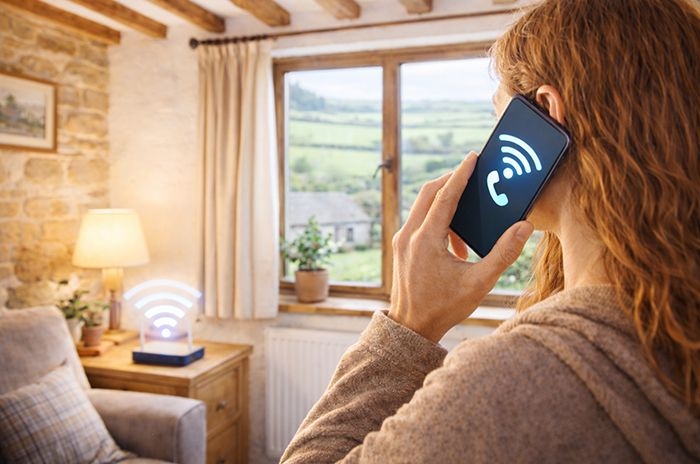
TL;DR: Quick summary
Wi-Fi Calling lets you make and receive calls and texts over a wi-fi network instead of the mobile network, while still using your normal phone number and calling experience. It is mainly designed to keep you connected in places with weak or no mobile signal.
It is usually included at no extra cost, but calls and texts over wi-fi generally count towards your standard allowances (or your usual charges if you are out of allowance). Calling UK numbers over wi-fi while you're abroad is typically treated as if you were in the UK, while calls to international numbers are normally charged at your provider's standard international rates.
Wi-Fi Calling is now supported by most major UK networks, but it still depends on your handset - and on Android, sometimes the specific network software on your phone. Some smaller providers and older devices may not support it.
At a glance: UK networks that offer Wi-Fi Calling
Below is a snapshot of major UK mobile networks and some key MVNOs that currently support Wi-Fi Calling on compatible handsets. Availability can vary by plan and device, so always check with your provider for specifics.
| Network / Provider | Wi-Fi Calling Support | Notes |
|---|---|---|
| EE | Yes | Supported on most plans and compatible devices; no separate app needed. |
| O2 | Yes | Supported on compatible iOS/Android phones; may vary by account type. |
| Vodafone | Yes | Supported on most compatible devices; generally UK-only. |
| Three | Yes | Supported on many devices; behaviour can depend on handset/firmware. |
| giffgaff | Yes | Supports Wi-Fi Calling on compatible devices (uses O2 network). |
| iD Mobile | Yes | Available on supported devices (Three network); activation can vary by handset. |
| SMARTY | Yes | Supported on many devices; tested compatibility list exists but isn't exhaustive. |
| VOXI | Yes | Supported on most compatible devices (Vodafone network); generally UK-only. |
| Tesco Mobile | Yes | Supported (O2 network); typical conditions similar to O2 apply. |
| Asda Mobile | Yes | Supported on many phones (Vodafone network). |
| Sky Mobile | Yes | Supported, but compatibility is more restrictive; runs on the O2 network. |
| Lebara | Yes | Supported on compatible devices (Vodafone network); the setting may take a short time to appear after SIM activation. |
Compatibility caveats: Wi-Fi Calling support depends not only on your network, but also on your handset and its software. Some Android phones only support Wi-Fi Calling when bought directly from the network (or running that network's firmware), and features can vary by model and operating system version.
Bring-your-own devices, older handsets, or imported models may not be supported even if your network offers Wi-Fi Calling. In addition, some business, hotel, or guest Wi-Fi networks can block Wi-Fi Calling, which may prevent the feature from working.
What is Wi-Fi Calling?
Wi-Fi Calling first launched in the UK in April 2015, with EE becoming the first mobile network to roll out the service nationwide in a move it described as making calls and texts available "in every home", even where mobile signal was weak.
At the time, the feature was initially limited to certain pay-monthly customers and a narrower range of compatible handsets, with wider availability - including pay-as-you-go - coming later as networks expanded support.
In simple terms, Wi-Fi Calling allows you to make and receive calls and texts over a wi-fi network instead of the mobile network, while still using your normal phone number and calling experience.
The service is normally included at no extra cost. Calls and texts made over wi-fi usually count towards your standard minutes and text allowance (or your usual charges if you're out of allowance), so the main benefit is better coverage rather than cheaper calls.
It is most useful in mobile "not-spots" and areas of poor mobile coverage - for example in basements, thick-walled buildings, parts of the London Underground, or rural hotels - as long as you have access to a wi-fi network.
If there's fixed-line broadband and wi-fi nearby, you can simply connect to it and make a call as if you were connected to a mobile mast.
Wi-Fi Calling is available on all major networks and many smaller ones (we look more at those below), but you usually have to turn it on in your handset settings before it will work.
Support can still vary by network, plan, and device. Some handsets (especially certain Android models or imported devices) aren't supported at all, and a few networks only enable Wi-Fi Calling on phones they have supplied. If the feature is a deal-breaker, it's worth checking your provider's compatibility list before choosing a new mobile phone or signing up to a plan.
How does Wi-Fi Calling work?
When enabled, your phone treats a suitable wi-fi connection as an extension of the mobile network rather than as a separate internet call.
Your voice call or text is encrypted and carried over the internet to your mobile network's core systems, which then connect it to the destination just as if it had come from a mobile mast.
If you move out of wi-fi range mid-call, most networks will attempt a handover to 4G Calling (VoLTE) so the conversation can continue without you having to redial.
If there is no usable 4G signal at that moment, the call will normally drop and you'll need to reconnect via wi-fi or mobile coverage.
Does Wi-Fi Calling cost extra?
Wi-Fi Calling is usually included at no extra charge on compatible plans.
Calls and texts made over wi-fi generally count towards your standard minutes and text allowances, or are charged at your usual rates if you're out of allowance.
If you're abroad, calls to UK numbers over wi-fi are typically treated as if you were in the UK, but calls to non-UK numbers are usually charged at your provider's standard international rates.
So the benefit is better coverage, not cheaper calls.
Problems and limitations
Wi-Fi Calling does not work on all networks and all handsets - support still depends on your provider, your plan, and your specific device (and, on some Android phones, the network software you're running).
Some wi-fi networks - particularly in hotels, offices, airports, or on trains - actively block Wi-Fi Calling or prioritise other traffic, which can stop the feature working altogether even if your phone and plan are compatible.
Call quality is only as good as the wi-fi connection you're using. Congested or unstable networks can produce delay, dropouts, or noticeably poorer sound than a strong mobile signal.
Moving between wi-fi and mobile coverage isn't always seamless in practice - some users still experience brief glitches or dropped calls when their phone switches from Wi-Fi Calling back to the mobile network.
Emergency calls are generally more reliable over a mobile network than over wi-fi, because location data is usually more accurate and consistent. If you have a usable mobile signal, that is typically the safer option for 999 calls.
Who offers Wi-Fi Calling in the UK
Wi-Fi Calling is now offered by all four UK mobile network operators (MNOs), as well as a growing number of mobile virtual network operators (MVNOs) that run on their networks.
Below we set out which major networks - and some key MVNOs - currently support Wi-Fi Calling.
EE
EE was the first UK network to launch Wi-Fi Calling in April 2015 and now allows customers on most plans - including pay monthly, pay as you go and Flex - to use the feature on compatible devices.
There is no separate app required: once Wi-Fi Calling is enabled in your phone's settings, it will work automatically whenever you are connected to a suitable wi-fi network. EE's website provides step-by-step setup and troubleshooting guides for different handsets.
EE also operates a large network of public wi-fi hotspots branded as EE Wi-Fi (previously BT Wi-Fi). These hotspots give customers more opportunities to connect to wi-fi when out and about, which in turn increases the chances that Wi-Fi Calling can be used in places with poor mobile signal.
O2
O2 offers Wi-Fi Calling to customers with compatible handsets. Once Wi-Fi Calling is enabled in your phone's settings, it should work automatically whenever you're connected to a suitable wi-fi network. You can find guidance on how to enable the feature on O2's help pages.
O2 also operates a network of public wi-fi hotspots across the UK, with over 16,000 locations where you can connect to free wi-fi labelled "O2 Wi-Fi". These hotspots can provide more opportunities for your phone to use Wi-Fi Calling in areas of poor mobile signal.
Support for Wi-Fi Calling on O2 generally requires a 4G- or 5G-capable device with the latest software. Some account types - particularly older pay as you go plans - may only have Wi-Fi Calling enabled more recently or may require activation in your account settings before the feature appears.
Vodafone
Vodafone supports Wi-Fi Calling for customers with compatible devices and recent plans. Once you've enabled Wi-Fi Calling in your handset settings, calls and texts will use a suitable wi-fi connection in place of a weak or unavailable mobile signal. Vodafone's support pages explain how to turn the feature on for different phones.
There's no separate app required for Wi-Fi Calling, though on some phones you may also need to enable the feature via the My Vodafone app or ensure your network settings are up to date.
Vodafone's official terms indicate that Wi-Fi Calling is intended for use in the UK, and roaming Wi-Fi Calling is generally not supported, although in rare cases it may work beyond the UK and be charged at international rates.
As with other networks, support varies by handset: most recent iPhones and Android models that support Wi-Fi Calling will work, but older devices or phones bought from other networks may not. It's worth checking Vodafone's compatibility list before signing up or switching devices.
Three
Three supports Wi-Fi Calling on many modern iOS and Android devices, and it's built into compatible handsets so you can enable it in your phone's settings when connected to a suitable wi-fi network. You can check whether your specific device is supported on Three's compatibility list before relying on the feature.
Three's implementation of Wi-Fi Calling is typically automatic only when your mobile signal falls below a certain threshold, meaning it won't always trigger just because you're on wi-fi - it's designed to kick in when the cellular signal is weak.
In practice, common recent devices such as iPhones and newer Samsung Galaxy models that support Wi-Fi Calling generally work on Three, but the feature may not appear on older handsets or phones that weren't bought with Three's network software installed. As with other networks, compatibility can vary by phone model and software version.
Because Three has now shut down its 3G network, there's no legacy 3G fallback if 4G is weak - which means Wi-Fi Calling may be more important in very weak signal areas, but it can also be less predictable when switching between network and wi-fi.
Sky Mobile
Sky Mobile supports Wi-Fi Calling on compatible devices, but the feature's availability is more restricted than on many other UK networks. Sky Mobile uses the O2 network for signal and services, so Wi-Fi Calling behaviour tends to reflect O2's implementation as well.
You can enable Wi-Fi Calling from your phone's settings when you're on a suitable wi-fi connection, and calls/texts will route over wi-fi instead of the mobile network. However, the option may not appear on all handsets - particularly those not bought directly from Sky Mobile - so it's worth checking whether the Wi-Fi Calling toggle actually shows on your device before relying on it.
There's no separate app - Wi-Fi Calling is built into the handset OS. Once enabled, your phone will attempt to use the wi-fi connection for calls and texts when mobile signal is weak.
Sky also operates a network of public wi-fi hotspots under the "Sky Wi-Fi / The Cloud" brand, with many thousands of locations across the UK where you can connect. These hotspots give you more opportunities to be on wi-fi, but they are separate from Wi-Fi Calling itself - they simply supply the wi-fi connection that the feature can use.
Because Sky Mobile runs on O2's network infrastructure, the performance and support for Wi-Fi Calling generally mirror O2's conditions, including handset compatibility and how the feature behaves when roaming. It's especially important to verify your specific phone model works with Sky Mobile's implementation if Wi-Fi Calling is important to you.
iD Mobile
iD Mobile offers Wi-Fi Calling on compatible devices as part of its standard service, with no separate app required - you just enable the feature in your phone's settings when connected to wi-fi. All iD Mobile plans support Wi-Fi Calling as long as your handset allows it.
Device support varies. iD Mobile doesn't publish a full compatibility list, but many modern iPhones and Android phones that support Wi-Fi Calling on other networks will work on iD Mobile. However, the feature may not appear on every handset, especially older models or those not officially tested by iD, so it's worth verifying that the Wi-Fi Calling toggle appears in your settings.
In practice, some customers report needing to toggle settings (for example using Airplane Mode briefly) for Wi-Fi Calling to activate, which suggests that provisioning and network configurations can affect how and when the feature appears on certain devices.
iD Mobile's Wi-Fi Calling works only in the UK and uses your normal minutes and texts, meaning while there's no extra fee for using it, calls made over wi-fi will generally count against your allowance or be charged at your usual rates if you're out of allowance.
Because iD Mobile runs on the Three network, the behaviour of Wi-Fi Calling (including any idiosyncrasies with activation or compatibility) broadly mirrors Three's implementation, with support depending on handset model, software version and how the phone was provisioned.
SMARTY
SMARTY supports Wi-Fi Calling on compatible devices as part of its standard service. You can enable Wi-Fi Calling in your phone's settings when connected to a suitable wi-fi network and the feature is supported for your handset. SMARTY's help centre has guidance on setup and troubleshooting.
SMARTY publishes a list of devices it has tested for Wi-Fi Calling compatibility, and if your phone isn't on the list it does not necessarily mean it won't work - SMARTY simply hasn't tested it yet. However, support isn't guaranteed on all phones, so it's worth checking whether the Wi-Fi Calling option appears in your settings before relying on it.
Because SMARTY runs on the Three UK network but operates as a distinct provider with its own provisioning, Wi-Fi Calling support can be more limited on some devices than on Three itself. Community reports indicate that certain phones - even ones that support Wi-Fi Calling on other networks - may not show the option on SMARTY if they haven't been tested or certified.
In practice, many recent iPhones and a selection of Android handsets that support Wi-Fi Calling elsewhere will work on SMARTY, but support is less comprehensive than on larger networks. As with other providers, keeping your device's software up to date improves the chances that the feature will work.
VOXI
VOXI, a youth-focused sub-brand of Vodafone, includes Wi-Fi Calling on all its plans at no extra cost. Wi-Fi Calling lets you make and receive calls and texts over a wi-fi network when your mobile signal is weak or unavailable. VOXI's support pages confirm you need a compatible device and that calls/texts will use your standard UK allowance when made over wi-fi.
There's no separate app - Wi-Fi Calling is built into your phone's operating system. Once enabled in your handset settings, the service should connect over wi-fi when conditions trigger it (typically when mobile signal is weak). VOXI notes that Wi-Fi Calling isn't supported when roaming abroad.
Device compatibility follows Vodafone's implementation: most modern iPhones and recent Android devices that support Wi-Fi Calling on Vodafone should also work on VOXI, provided you have the latest software and the feature has been activated on your account. If Wi-Fi Calling doesn't appear in your settings, you may need to contact VOXI support to enable it.
Asda Mobile
Asda Mobile supports Wi-Fi Calling on compatible handsets. There is no separate app - you simply enable Wi-Fi Calling in your phone's settings and, when connected to wi-fi, calls and texts will route over the internet instead of the mobile network.
Because Asda Mobile runs on the Vodafone network, its Wi-Fi Calling experience broadly mirrors Vodafone's implementation, including similar handset compatibility requirements.
In practice, most recent iPhones and many modern Android devices will work, but older phones or devices not officially supported by Vodafone may not show the Wi-Fi Calling option. If the feature matters to you, it's worth checking that the toggle appears in your settings before you rely on it.
Tesco Mobile
Tesco Mobile offers Wi-Fi Calling on compatible devices at no extra cost. Once enabled in your handset settings, the feature will activate automatically when your mobile signal is weak and you are connected to a suitable wi-fi network.
Tesco Mobile runs on the O2 network, so Wi-Fi Calling behaviour and handset compatibility largely follow O2's implementation.
Most modern iPhones and many recent Android handsets are supported, but some older or imported devices may not show the Wi-Fi Calling option. As with other networks, it's best to confirm your specific phone is compatible before switching.
Lebara
Lebara supports Wi-Fi Calling on compatible handsets in the UK, allowing you to make and receive calls and texts over a wi-fi connection when mobile signal is weak or unavailable. According to Lebara's help pages, once the service is enabled on your account, you can turn it on via your phone's settings.
There's no extra charge for using Wi-Fi Calling, but calls and texts made over wi-fi will generally count against your standard UK minutes and text allowances (or be charged at your usual rates if you're out of allowance).
Device compatibility varies and Lebara does not publish a detailed list. Most recent iPhones and many Android models that support Wi-Fi Calling elsewhere should work, but sometimes the option only appears after your SIM has been active for a short time, or after a phone restart or software update. Some users report that the setting may not immediately show on certain phones until the network has finished provisioning the feature.
Because Lebara runs on the Vodafone network infrastructure, support tends to align with Vodafone's compatibility patterns, but individual experiences can vary by handset and software version.
Who doesn't offer Wi-Fi Calling
Most of the main UK mobile networks and many MVNOs now support Wi-Fi Calling, but there are still some providers that do not currently offer the feature on their plans:
- Lycamobile
- Talkmobile
Things can change, and some of these networks may introduce Wi-Fi Calling in future, but for now they focus on providing budget services and do not include Wi-Fi Calling as part of their offerings.
Which phones are compatible with Wi-Fi Calling?
iPhone. Wi-Fi Calling has been supported on most iPhones from iPhone 6 onwards, but in practice reliability is best on newer models (roughly iPhone 8 and later) running a current or near-current version of iOS. Even if your iPhone technically supports the feature, it will only appear in your settings if your network has enabled it for that specific model on your account.
Android. Support is more fragmented than on iPhone. Many modern Samsung Galaxy, Google Pixel and other mainstream Android phones are capable of Wi-Fi Calling in principle, but whether it actually works depends on three things together: your handset model, the version of Android you're running, and the network software/firmware loaded onto that phone. The same Android phone can show Wi-Fi Calling on one network but not another.
Networks also tend to prioritise support for the most popular or recently sold handsets, so very new or very old Android models are more likely to fall outside official compatibility lists even if the hardware could technically support the feature.
Bring-your-own (BYO) handsets. If you buy your phone outright or bring a device from another network, Wi-Fi Calling may not appear in your settings even if the phone supports it elsewhere. This is most common on Android, where some networks only enable the feature on devices they have sold or explicitly certified.
For this reason, compatibility is usually most reliable on phones your chosen network has officially tested and approved. If Wi-Fi Calling is important to you, it's worth checking your network's compatibility list - or confirming that the Wi-Fi Calling toggle appears in your settings - before you switch.
Compatibility at a glance
| Phone type | Typical support | Common caveats |
|---|---|---|
| iPhone | Generally good (iPhone 8+) | Must be running a reasonably recent version of iOS and supported by your network |
| Android (bought from your network) | Usually reliable on recent Samsung/Pixel models | Depends on model, Android version and network firmware |
| Android (bought outright / BYO) | Variable | Some networks won't enable Wi-Fi Calling unless they supplied or certified the device |
Typical examples of supported phones
- iPhone: iPhone 8 and later (running a recent version of iOS)
- Samsung Galaxy: S10/S10+ and later; most recent A-series models
- Google Pixel: Pixel 3 and later
- Other Android: many recent devices from Xiaomi, Oppo, OnePlus, Motorola and Honor - but support varies by network
Note: These are examples only. Even if your phone is in this range, Wi-Fi Calling will only work if your network has enabled it for that exact model and software version.
How to turn on Wi-Fi Calling
On iPhone
- Go to Settings
- Tap Mobile Data (or Cellular)
- Tap Wi-Fi Calling
- Switch Wi-Fi Calling on This iPhone to On
- If prompted, accept your emergency address details
On Android (general steps)
- Open Settings
- Go to Connections or Network & internet (name varies by phone)
- Tap Calls or SIMs
- Select your SIM
- Switch Wi-Fi Calling to On
Note: Menu names can differ slightly between Samsung, Google Pixel, and other Android devices, but the option is usually found under Calls, SIMs, or Connections.
When will Wi-Fi Calling appear in your settings?
The Wi-Fi Calling toggle will only appear if three things are in place: your network supports it, your plan allows it, and your handset is compatible (with the correct software installed).
On some networks, the option may not show immediately after you insert a new SIM - it can take a few hours (or up to 24 hours) for your account to be fully provisioned.
If the setting still doesn't appear, try restarting your phone, updating your operating system, or checking your network's compatibility list. If it's still missing, your device or plan may not be supported.
Wi-Fi Calling vs 4G Calling (VoLTE)
Wi-Fi Calling and 4G Calling (often referred to as VoLTE - Voice over LTE) are two modern technologies that improve how voice calls are delivered on mobile networks, but they serve slightly different purposes and emerged at different stages of network evolution.
What each does
Wi-Fi Calling lets you make and receive calls and texts over a wi-fi connection when your mobile signal is weak or unavailable, using the internet to reach your network's systems.
4G Calling (VoLTE) carries voice calls over the mobile network's 4G/LTE signal instead of older 2G or 3G networks. This typically results in clearer voice quality and faster call setup. In 2015, when UK operators began launching voice calls over 4G, this marked the first major step toward carrying mainstream voice traffic on LTE rather than legacy networks. The push for better call quality continued, and in 2016 EE rolled out enhanced HD voice over 4G, showing how networks were refining VoLTE rather than treating it as a one-off upgrade.
When each is used
Wi-Fi Calling is used when you're connected to a wi-fi network and your mobile coverage is weak or unavailable. It is most noticeable in basements, thick-walled buildings, rural properties, or other "mobile not-spots."
VoLTE is used whenever you are connected to your network's 4G signal and both your phone and your plan support it. On most modern handsets this happens automatically, reflecting the industry's broader migration of voice away from 2G/3G systems.
How they work together
On many phones and networks, Wi-Fi Calling and VoLTE can work together. If you start a call over wi-fi and then move out of wi-fi range, the call can be handed over to 4G without dropping. Likewise, if you begin on 4G and then connect to wi-fi in a weak-signal area, the call can transfer to Wi-Fi Calling for greater stability.
This cooperative behaviour rests on the same shift toward IP-based voice that networks were preparing for in 2016, when Three was getting ready to launch 4G VoLTE calls. Wi-Fi Calling effectively extends that IP-based approach onto wi-fi networks when mobile coverage is poor.
Summary of differences
- Wi-Fi Calling uses wi-fi internet to carry calls and texts in areas of poor mobile coverage.
- 4G Calling (VoLTE) uses the mobile network's 4G signal to deliver clearer voice calls without relying on older network technology.
- Both can work together to keep you connected as you move between wi-fi and mobile coverage.
Summary: Widely available - but compatibility still matters
Wi-Fi Calling and 4G Calling are now core parts of how modern mobile voice works, especially as networks continue to move away from legacy 3G services.
Wi-Fi Calling is particularly valuable in homes, basements, rural properties or transport systems where mobile signal is weak or absent, while 4G Calling (VoLTE) generally delivers clearer audio and faster call set-up when you have a solid 4G signal.
In practice, the two technologies often work best together - with calls moving between wi-fi and 4G as your environment changes - which reduces dropped calls and improves reliability.
However, the experience is still not perfectly consistent. Support varies by network, plan and handset, and some devices (especially Android BYO handsets) remain more restricted than others.
For most users, Wi-Fi Calling and 4G Calling work quietly in the background, but if either feature is important to you, it's still worth checking your network's compatibility list before choosing a phone or switching provider.
As networks and devices mature, we're likely to see broader and more consistent support - making it easier to use the same handset across different networks without losing features like Wi-Fi Calling.