Amazon's current Kindle lineup looks like a simple good-better-best ladder, but it isn't.
The Paperwhite is the best Kindle for most readers, while the cheaper Kindle wins on portability and the Colorsoft trades some of the Paperwhite's strengths for a colour display.
Here's how the three compare, and which one deserves a spot in your bag.
TL;DR: Which Kindle should you buy?
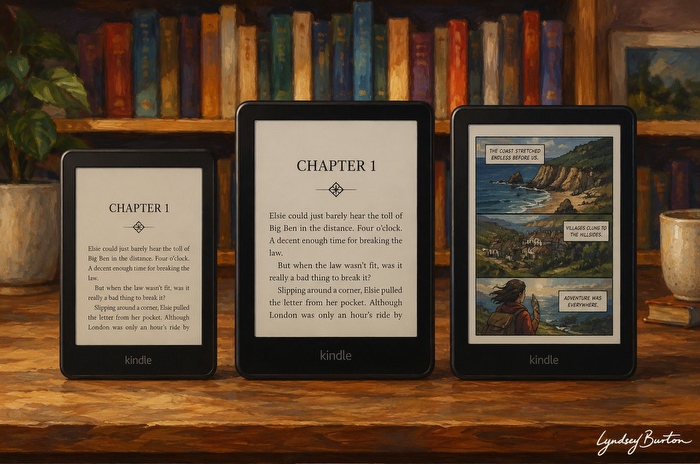
For most people, the Kindle Paperwhite 16GB is the Kindle to buy. Its Carta 1300 display has better contrast than the base Kindle, while you also get faster page turns, warm lighting, waterproofing and up to 12 weeks of battery life.
The base Kindle is the best budget option. It retains sharp 300ppi text in a smaller, lighter body and costs considerably less. If you mostly read novels and value portability, you may not need anything more.
The Paperwhite Signature Edition offers the same core reading experience as the standard Paperwhite, but adds 32GB storage, wireless charging and automatic brightness adjustment. It's worth the premium if you specifically want those features.
The Kindle Colorsoft is the specialist choice. Colour makes comics, cookbooks, travel guides and illustrated books far better, but its colour filter also produces a darker screen and subtly softer-looking text than the Paperwhite, while battery life drops to around eight weeks.
If you're unsure which one you need, buy the standard Paperwhite.
Kindle Comparison: At a glance
| Feature | Base Kindle | Paperwhite | Paperwhite Signature | Colorsoft Signature |
|---|---|---|---|---|
| Price | £94.99 With ads Buy online |
£159.99 With ads Buy online |
£189.99 Without ads Buy online |
£239.99 Without ads Buy online |
| Best for | Budget & travel | Most readers | Storage & convenience | Colour content |
| Display | 6 Carta 1200 | 7 Carta 1300 | 7 Carta 1300 | 7 Kaleido 3 colour E Ink |
| Resolution | 300ppi | 300ppi | 300ppi | 300ppi mono / 150ppi colour |
| Front light | 4 cool-white LEDs | 17 LEDs + warm light | 17 LEDs + warm light | Warm adjustable lighting |
| Auto brightness | No | No | Yes | Yes |
| Waterproof | No | IPX8 | IPX8 | IPX8 |
| Storage | 16GB | 16GB | 32GB | 16GB |
| Wireless charging | No | No | Yes | Yes |
| Battery | Up to 6 weeks | Up to 12 weeks | Up to 12 weeks | Around 8 weeks |
Displays are the real difference
The specifications make these Kindles look more similar than they actually are.
Both the base Kindle and Paperwhite advertise 300ppi monochrome displays, yet put them beside each other and the Paperwhite clearly looks better.
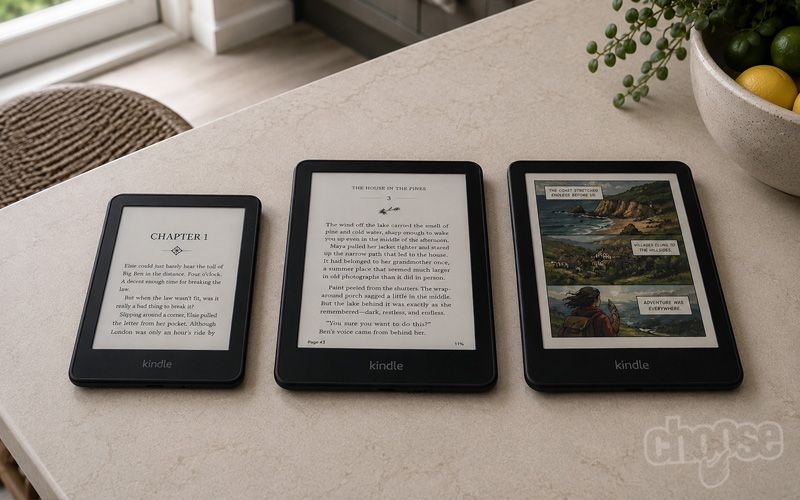
Amazon Kindle vs Kindle Paperwhite vs Kindle Colorsoft in 2026. Credit: Choose.co.uk
The reason is display generation. The base Kindle uses Amazon's older Carta 1200 E Ink panel, while the Paperwhite uses Carta 1300. Resolution remains the same, but the newer display produces stronger contrast: text appears darker, the background looks cleaner and pages have a more convincing ink-on-paper appearance.
The base Kindle still looks excellent on its own. Once I was absorbed in a novel, I stopped thinking about the difference. It's only when you move directly between the two that the Paperwhite's extra contrast becomes obvious.
The Colorsoft is different again.
It uses a 300ppi monochrome E Ink display with a Colour Filter Array sitting above it. Black-and-white information is still rendered at 300ppi, while colour is displayed at 150ppi.
That arrangement makes colour E Ink possible, but creates three important compromises.
First, the colour filter absorbs some light, so the Colorsoft's natural background looks darker than the Paperwhite's. Without much front lighting it resembles light-grey newsprint rather than bright white paper.
Second, you'll generally use more front lighting to compensate, which contributes to battery life falling from the Paperwhite's quoted 12 weeks to around eight weeks.
Finally, the filter creates a faint texture over the underlying display. Black-and-white text remains detailed, but beside the Paperwhite its letter edges look subtly softer and the page has a slight grain or screen-door effect.
It's not particularly distracting during normal reading. But if your priority is displaying black text as cleanly as possible, the Paperwhite is better.
That distinction explains most of Amazon's current lineup: the Paperwhite is optimised for monochrome reading; the Colorsoft trades some of that purity for colour.
Base Kindle: The paperback replacement
The cheapest Kindle is also the smallest, and that's more of an advantage than it initially sounds.
Its 6-inch display makes it noticeably lighter and easier to hold one-handed than either 7-inch model. It slips into smaller bags and coat pockets easily, and for commuting or travelling it can be preferable carrying it to the more expensive Kindles.
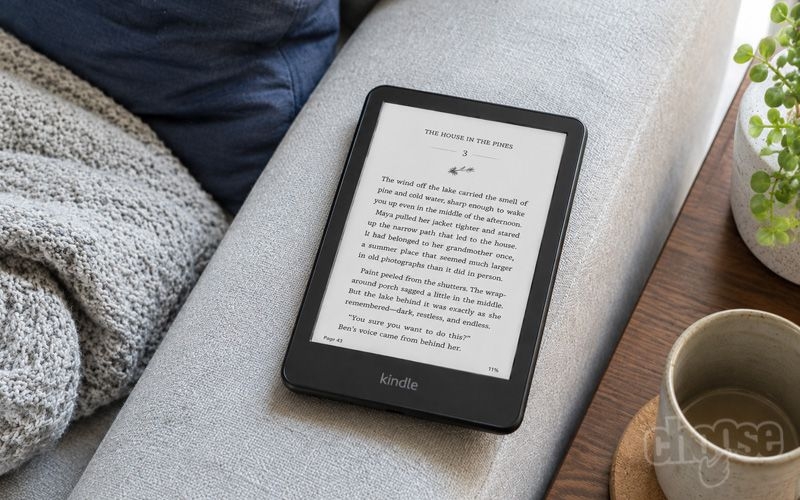
Amazon Kindle - the lightest and smallest Kindle, now with an adjustable front light. Credit: Choose.co.uk
Amazon hasn't compromised the fundamental reading experience either. Text remains sharp at 300ppi and page turns are perfectly quick enough, even though the Paperwhite is faster and has visibly stronger contrast.
Where the lower price shows is in everything surrounding the screen.
You get four cool-white front-light LEDs rather than the Paperwhite's 17 LEDs and adjustable warm lighting. There's no waterproofing, automatic brightness or wireless charging, and battery life is quoted at up to six weeks rather than 12.
But none of those things stop it being a very good e-reader.
If your library is mostly novels and you want something small, light and inexpensive, the base Kindle gets the essentials right. It's less refined than the Paperwhite rather than fundamentally worse at displaying books.
Best for: budget buyers, commuters, occasional readers and anyone who prioritises portability.
Kindle Paperwhite: The one I'd recommend to almost everyone
The Paperwhite was the Kindle I kept reaching for throughout testing.
There isn't one dramatic feature responsible for that. Almost everything is simply a little better.
The 7-inch Carta 1300 screen provides more reading space than the base Kindle while delivering the strongest monochrome contrast of the three devices. Text looks dark and clean, backgrounds brighter, and the overall result comes closest to printed paper.
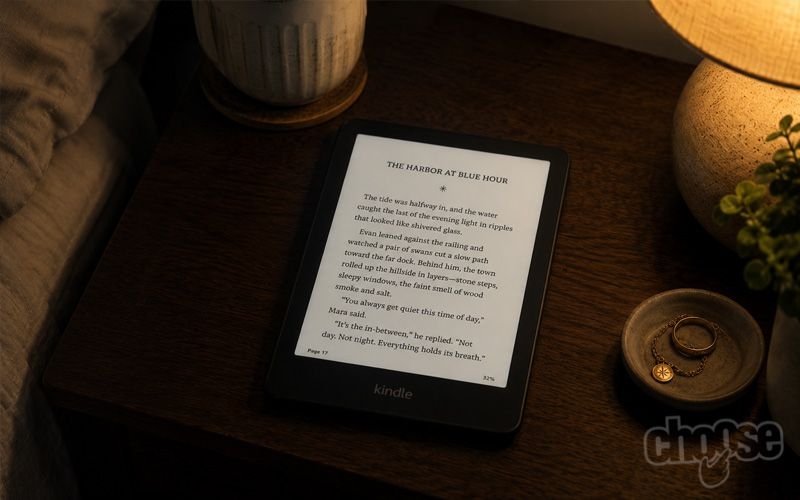
Amazon Kindle Paperwhite - 7 inch glare-free display and adjustable warm light for reading in any conditions. Credit: Choose.co.uk
Page turns are also around 25% faster. That's not enough to transform reading, but it makes the Paperwhite feel more responsive, particularly when switching back to the base model.
The lighting system is a bigger everyday improvement. Its 17 LEDs provide adjustable warmth, letting you shift from a whiter daytime display towards a softer amber tone for reading at night.
You also get IPX8 waterproofing, making the Paperwhite a much safer option for baths, pools and holidays.
Then there's battery life. Amazon quotes up to 12 weeks, and in my testing it came surprisingly close with normal daily reading. In practical terms, charging simply stopped being something I thought about.
At £159.99 (with ads), it costs £60 more than the base Kindle, but the combination of better contrast, larger display, faster performance, warm lighting, waterproofing and roughly twice the quoted battery life makes that premium easy to justify for regular readers.
Best for: almost everyone, particularly anyone who reads frequently or mainly reads novels and other text-heavy books.
Paperwhite Signature Edition: Convenience rather than better reading
The Signature Edition is easy to mistake for a superior Paperwhite, but the reading experience is essentially the same.
It uses the same 7-inch Carta 1300 display, so paying more doesn't make text sharper or improve contrast.
Instead, the extra money takes storage from 16GB to 32GB and adds wireless charging and automatic brightness adjustment.
The storage increase is largely irrelevant for conventional e-books, because 16GB already holds thousands. It becomes much more useful if you keep large audiobook, manga or graphic-novel libraries offline.
Wireless charging is convenient too, although a Kindle that can already last around 12 weeks between charges doesn't exactly make plugging in a USB-C cable a hardship.
I was also less convinced by automatic brightness. The sensor could be inconsistent in mixed lighting, and I often preferred setting brightness and warmth myself.
The Signature Edition is therefore worth buying because you specifically want its extras, not because it's a better reader.
Best for: large manga or audiobook libraries and readers who value wireless charging or automatic brightness.
Kindle Colorsoft: Colour changes the experience - and the compromises
The Colorsoft was the Kindle my opinion changed on most during testing.
Colour immediately makes parts of the Kindle experience better. Book covers look like book covers again. Maps and diagrams make more sense. Cookbooks and travel guides become more useful, and comics are transformed compared with viewing the same artwork in greyscale.
Most importantly, colour E Ink doesn't feel like a gimmick.
It retains the reflective, paper-like character that makes E Ink pleasant to read outdoors and for long periods, rather than feeling like a small tablet screen.
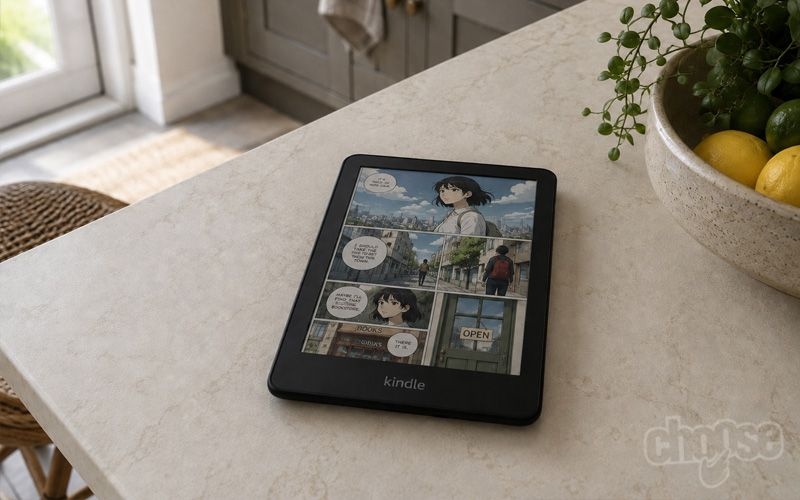
Amazon Kindle Colorsoft - the first Kindle to offer coloured reading ideal for comics, graphic novels and travel books. Credit: Choose.co.uk
For illustrated books, that's a compelling combination.
But the Colorsoft isn't simply a Paperwhite with colour added.
Its Colour Filter Array makes the screen darker and slightly reduces the perceived sharpness of ordinary text. Move from the Colorsoft back to the Paperwhite and the latter's cleaner background, stronger contrast and crisper-looking letters are immediately apparent.
Colour itself is also rendered at 150ppi rather than 300ppi. It works well for comics and illustrations, but don't expect the saturation or fine detail of an iPad or OLED tablet.
Amazon provides an optional full-page refresh that can reduce colour ghosting. It produces a brief flash and slightly slower page turns, but can be worthwhile for graphic novels where clean artwork matters more.
Battery life is around eight weeks, still excellent compared with conventional tablets but noticeably behind the Paperwhite.
Then there's the £239.99 price. You're paying £70 more than the standard Paperwhite for colour while accepting a slightly weaker monochrome reading experience.
Whether that's a bad deal depends entirely on what you read.
For novels, biographies and other prose, it makes little sense. For someone whose library is full of comics, cookbooks, travel guides and illustrated non-fiction, colour can matter far more than the Paperwhite's superior contrast.
Best for: readers whose books genuinely benefit from colour.
Which Kindle is best for what you read?
Novels, biographies and prose: Kindle Paperwhite
The Paperwhite is the strongest conventional e-reader here. Its Carta 1300 display combines sharp 300ppi text with excellent contrast, while warm lighting, waterproofing and long battery life make it comfortable to use every day.
The base Kindle remains a good alternative if you'd rather save £60 or prefer its smaller size.
Colour comics and graphic novels: Kindle Colorsoft
This is where the Colorsoft earns its premium.
Its 150ppi colour isn't as vivid or detailed as a conventional tablet, but comics gain enormously from displaying artwork as intended while retaining the outdoor visibility and paper-like character of E Ink.
If colour comics form a significant part of your library, it's the obvious Kindle choice.
Black-and-white manga: Kindle Paperwhite
Pictures don't automatically mean Colorsoft.
Traditional black-and-white manga benefits from the Paperwhite's clean 300ppi monochrome display, particularly for fine line work, shading and grey gradients.
Heavy manga readers may want the 32GB Signature Edition because image-heavy books consume considerably more storage than novels.
Cookbooks, travel guides and illustrated non-fiction: Kindle Colorsoft
Colour is most valuable when it conveys information rather than merely decoration.
Maps, charts, photographs, diagrams and illustrations can all be easier to interpret in colour. If those are central to the books you buy, the Colorsoft provides something neither monochrome Kindle can reproduce.
Commuting and travel: Base Kindle
The smallest Kindle wins here.
Its 6-inch screen means a lighter, more compact device that fits into bags and pockets more easily and remains comfortable when held one-handed.
The lack of waterproofing is worth remembering for beach and pool use, where the Paperwhite may be the safer travelling companion.
What about the yellow-screen problem?
The Colorsoft's launch was overshadowed by reports of a yellow band appearing along the bottom of some displays. Some early 2024 Paperwhite units also showed a much milder yellow tint.
The Colorsoft issue was considerably more serious. Amazon temporarily paused shipments while investigating and offered replacements or refunds to affected customers.
The problem was associated with the construction and calibration of the new display stack, including the optically clear adhesive used to bond its layers and changes to the lighting system.
Later production units appear to have largely addressed the problem, and my Colorsoft review unit didn't exhibit the severe yellow band reported at launch.
It matters more if you're buying used or refurbished hardware. An early Colorsoft - or, to a lesser extent, an early 12th-generation Paperwhite - is worth inspecting with the front light turned up before buying.
For new retail stock, it wouldn't stop me buying either model.
Final Verdict: Which Kindle should you buy?
Amazon's Kindle range makes more sense when you stop treating it as a ladder where spending more automatically gets you a better e-reader.
For most people, the Kindle Paperwhite 16GB is the best choice. It has the strongest monochrome display, excellent battery life, warm lighting, waterproofing and faster performance without pushing the price into Colorsoft territory.
Choose the base Kindle instead if you want the cheapest or most portable option. You still get sharp 300ppi text, and its smaller size can actually make it preferable for commuting and travelling.
Upgrade to the Paperwhite Signature Edition if 32GB storage, wireless charging or automatic brightness matter to you. Otherwise, the standard Paperwhite provides essentially the same reading experience for less.
Choose the Kindle Colorsoft if colour is genuinely important to what you read. Comics, cookbooks, travel guides and illustrated books are considerably better in colour, and that's something no Paperwhite can reproduce.
But if your library is mostly novels, spending £70 more on the Colorsoft gets you shorter battery life and a slightly softer monochrome display in exchange for colour you may rarely use.
The Colorsoft may be Amazon's most technologically interesting Kindle, but it isn't a better Paperwhite.
It's a different kind of Kindle - and for most readers, the Paperwhite remains the one to beat.